
Experience all four Walt Disney World Theme Parks this summer with the 4-Day, 4-Park Magic Ticket! Valid for arrivals from May 26 to Sept. 26, 2026.


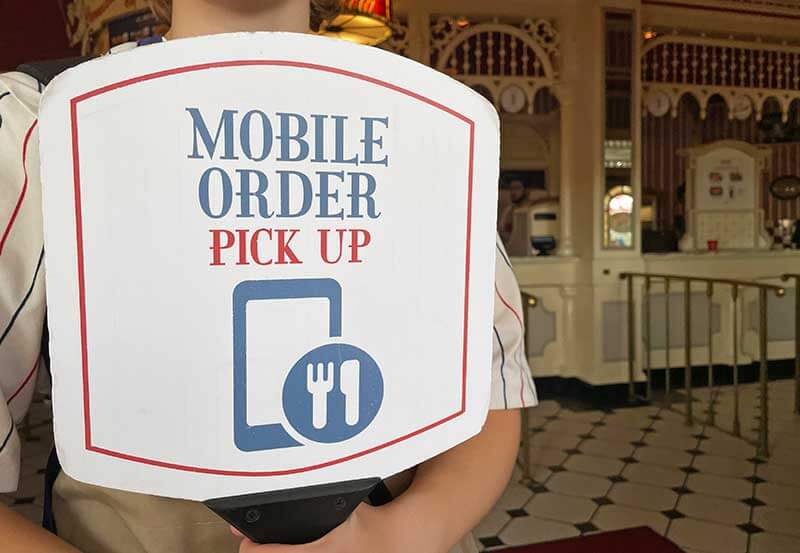
Mobile ordering is one of the best ways to skip the food lines and satisfy your hunger ASAP. Locations that offer mobile ordering will have separate stations just for those with mobile orders, so you can grab your food quickly. Plus, with so much to do on a Walt Disney World trip, it can be great to maximize your time by mobile ordering. So that means you'll want a basic understanding of how mobile ordering works before your trip — that's why we're here!
Overview of Mobile Ordering
Using the My Disney Experience app, you can order food at most quick-service locations inside the parks and a few restaurants at the resort hotels and Disney Springs. To start, mobile ordering is only available for same-day ordering. However, you can create orders for the entire day in the morning. The app offers detailed menu items, so you can easily see what you want, customize and even filter results. After you place your order online, you don't have to wait in line. You just arrive for the fun part ... picking up your food! It's pretty frogtastic!
Overall, mobile ordering has quickly become one of our favorite ways to save time in the parks, and it's oh-so-simple. You can purchase your food at any time and anywhere. Now, if you need to make a mobile order, here's what you do!
How to Use Disney World Mobile Ordering

1. In the My Disney Experience app, click the "+" icon at the bottom, or pull up the side menu (three horizontal lines) and click "Order Food." A list of all the available locations at each park will pop up, so you can easily browse your selections.
2. Next, select the restaurant you want to order from and an arrival time window. Disney World mobile ordering is available at each of the four theme parks, two water parks, Walt Disney World Resort hotels and select locations at Disney Springs. In a recent update, it is now easier to select your location by using the drop-down menus. You can also toggle between the "As Soon as Possible" and "Schedule for Later" tabs to choose when you want your food. You will need to select an arrival time window from the available 30-minute slots.
Most restaurants will have availability right away, while popular spots, such as Woody's Lunch Box, will have times further out. The sooner you can order, the better! Spots can fill up quickly! View the menu, or use the "Find on Map" and "Get Directions" functions to see how far you are and how to get there from your current location.
3. Build your order. Our favorite part of Disney World mobile ordering is the detailed menu descriptions. This is handy for picky eaters or those with food allergies. We recommend taking a break in a quiet area, such as the Hub at Magic Kingdom or CommuniCORE Hall at EPCOT to place your order carefully. You can search for items based on different categories, including entrees, sides, kids' meals, beverages, desserts, plant-based options and allergy-friendly options.
4. Choose a quantity. When Lily wants the same food item as her older brother, Tad, it's easy as pie! We simply change the quantity from one to two.
5. Add sides and/or customize your selection. Maybe you need to choose between apple slices or fries as your side, or perhaps you want "no onion" on your burger. After you select your menu item, click "Customize Your Selection" to make any changes you need. If you do have any food allergies, you can make selections from allergy-friendly items. Just be sure to double-check with the restaurant upon arrival to make sure your needs were met!
6. Click "Add" and then continue ordering. You can keep adding items for your whole frog squad. Don't froget your drinks, sides and desserts!
7. Click "View My Order." You'll see a summary of your order. If you need to, you can make modifications. There's nothing worse than having to hop back in line or waiting for a second order because you frogot something.
8. Click "Review Order Summary." You'll see information about your arrival time, another list of your items and your payment method. You can insert any promo codes, use a credit card, debit card, Disney Gift Card, Disney Rewards Redemption Card or Apple Pay!
9. Click "Purchase!" You can do mobile ordering as far in advance as you want for the whole day, as long as the restaurant has time windows available. The restaurant doesn't even need to be open when you place your order! Keep in mind, you'll only see available windows during its operating hours. If you need to change your arrival time window or cancel the order, you may do so before you hit "I'm Here, Prepare My Order."
Ready to Pick Up Your Disney World Mobile Order?

When you're near the restaurant, hop back on the app, and click "I'm Here, Prepare My Order."
At this point, we recommend clicking "I'm here" when you're close to the restaurant. It usually takes at least a couple of minutes for your order to be called, but sometimes it's almost immediate. That way, you don't have to spend as much time waiting outside the restaurant, especially during peak times. Make sure to turn on the app's notifications so you get a mobile alert when your order is ready! If you need to find your mobile order, navigate to the side menu and tap "Mobile Food Orders" to see your active orders.
Once your food is ready, the screen will turn blue, showing your order number and the pick-up station you should head to. Cast members may not let anyone into the mobile order line until their food is ready for pickup, so once you reach the blue screen, you're all set!
Head to the mobile pick-up counter at the restaurant and pick up your food! Show the cast members at the entrance that your food is ready and they will let you through. The pick-up stations are numbered and easy to locate.
On a related note, one FAQ we receive is, "What happens if I don't pick up my food?" Unfortunately, you pay the price for convenience. If you fail to retrieve your food without canceling the order, you may still be charged.
Walt Disney World Restaurants That Have Mobile Order
Sure, you can scroll through your dining options when you're at the park. But why not save some time in advance? Save this guide to all Disney World restaurants, including quick-service locations, that currently offer mobile ordering. As a reminder, this list is always subject to change.

Magic Kingdom
- Casey's Corner
- Columbia Harbour House
- Cosmic Ray's Starlight Café
- The Friar's Nook
- Golden Oak Outpost
- The Lunching Pad
- Pecos Bill Tall Tale Inn and Cafe
- Pinocchio Village Haus
- Sleepy Hollow
- Sunshine Tree Terrace
EPCOT
- Connections Eatery
- Regal Eagle Smokehouse: Craft Drafts & Barbecue
- Sommerfest
- Yorkshire County Fish Shop
Hollywood Studios
- ABC Commissary
- Backlot Express
- Catalina Eddie's
- Docking Bay 7 Food and Cargo
- Dockside Diner
- Fairfax Fare
- Kat Saka's Kettle
- Milk Stand
- Ronto Roasters
- Rosie's All-American Café
- Woody's Lunch Box
Animal Kingdom
- Flame Tree Barbecue
- Harambe Market
- Pizzafari
- Restaurantosaurus (closing Feb. 1, 2026)
- Satu'li Canteen
Typhoon Lagoon and Blizzard Beach Water Parks
- Leaning Palms
- Typhoon Tilly's
- Avalunch
- Lottawatta Lodge
- Warming Hut
Disney Springs
- Amorette's Patisserie
- B.B. Wolf's Sausage Co.
- D-Luxe Burger
Easy breezy, right? If you haven't tried it already, Disney World mobile ordering is a must! It makes mealtime so much easier. So what do you think about mobile ordering? Tell us in the comments below!
Related: The Ins and Outs of Disney World Dining Reservations
Our Top Spots for Cheap Food at Disney World
Hoppy planning!