

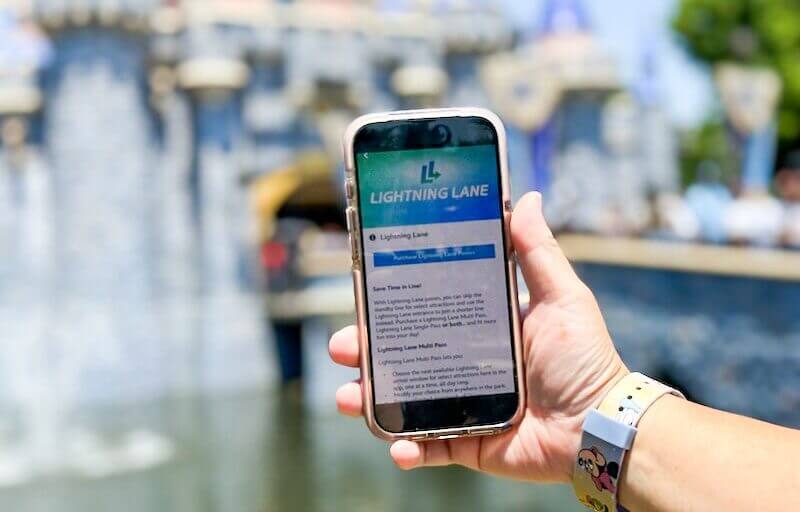
Are you looking to maximize the value of Lightning Lane Multi Pass at Disneyland and Disney California Adventure? Our top Disneyland Lightning Lane Multi Pass tips will have you using Lightning Lane Multi Pass like a pro in no time. Have you already used Lightning Lane Multi Pass or at least read up on it and want to know more? Well, this is your next step in really getting the most bang for your Lightning Lane Multi Pass buck. We'll also discuss tips for using the free Lightning Lane for a Multi Pass attraction that comes as a perk to staying on-site.
Hop To
FAQs
- What is the number one tip for using Lightning Lane? Enter the park early and book something right away. Even if you change your mind about that attraction, you can modify it to something else in that park without resetting the 2-hour clock. Go on as many rides as you can before you use your first Lightning Lane. Then immediately book another.
- Can I book rides in the other park? Yes, if you are park hopping, you can select rides in the other park as long as the distribution window is after park hopping time. (As of June 9, 2026, there won't be a time restriction for park hopping!) If modifying an existing plan, you can only modify your selection to a ride in the same park as the original ride.
- How do I get the best price on Lightning Lane Multi Pass? Purchase your discount Disneyland tickets with Lightning Lane Multi Pass through Undercover Tourist to lock in the best possible price. The price can go up by several dollars if you wait to purchase after entering a theme park.
- What if the ride windows are far away? Book a ride, and then try to modify your plan. Pull down on the screen to refresh, and keep doing that until you see an earlier time pop up. Most of the time, this works for us to score an earlier ride window due to other guests cancelling their plans. But you have to move quickly if you see an earlier time pop up because they can get snatched up by other park goers. Make sure the confirmation screen has the time you want before finalizing the change.
- How do I use the free Lightning Lane Multi Pass attraction that comes with my Disneyland Resort hotel stay? You'll see the perk in your Disneyland app shortly after check-in, or after 7 a.m. on arrival day if you checked in online at least a day in advance. You need a theme park ticket and park reservation to use it. To redeem it, scan the barcode at any available Lightning Lane Multi Pass attraction of your choice on one day of your hotel stay.
BOOK NOW AND SAVE UP TO 30% on select stays at Disney’s Grand Californian Hotel & Spa, the Disneyland Hotel, Pixar Place Hotel or the Villas at Disneyland Hotel through Sept. 8, 2026. Plus, you can secure your Disneyland hotel reservation for a refundable $200 deposit today, and pay the remainder 30 days prior to check-in!
Our Most Basic Lightning Lane Multi Pass Tips
Here is how to make the best of your day in the parks with Lightning Lane at California Adventure and Disneyland. There is a lot to go over before you jump into the Lightning Lane Multi Pass advanced user status. If you feel like we are moving too fast or you have any questions or are unfamiliar with the vocabulary, back it up and visit these posts, which will bring you up to speed on Lightning Lane Multi Pass, as well as Lightning Lane Single Pass:
- Answering Your Disneyland Lightning Lane Multi Pass Frequently Asked Questions
- Our Complete Guide to Lightning Lane Multi Pass at Disneyland
For those of you left wanting more, our Lightning Lane Expert Classes also do a deep dive into some other Lightning Lane Multi Pass topics you might be interested in:
- The Lightning Lane Expert Class: Using Lightning Lane Multi Pass With a Group at Disneyland
- The Lightning Lane Expert Class: Multiple Experiences Passes at Disneyland
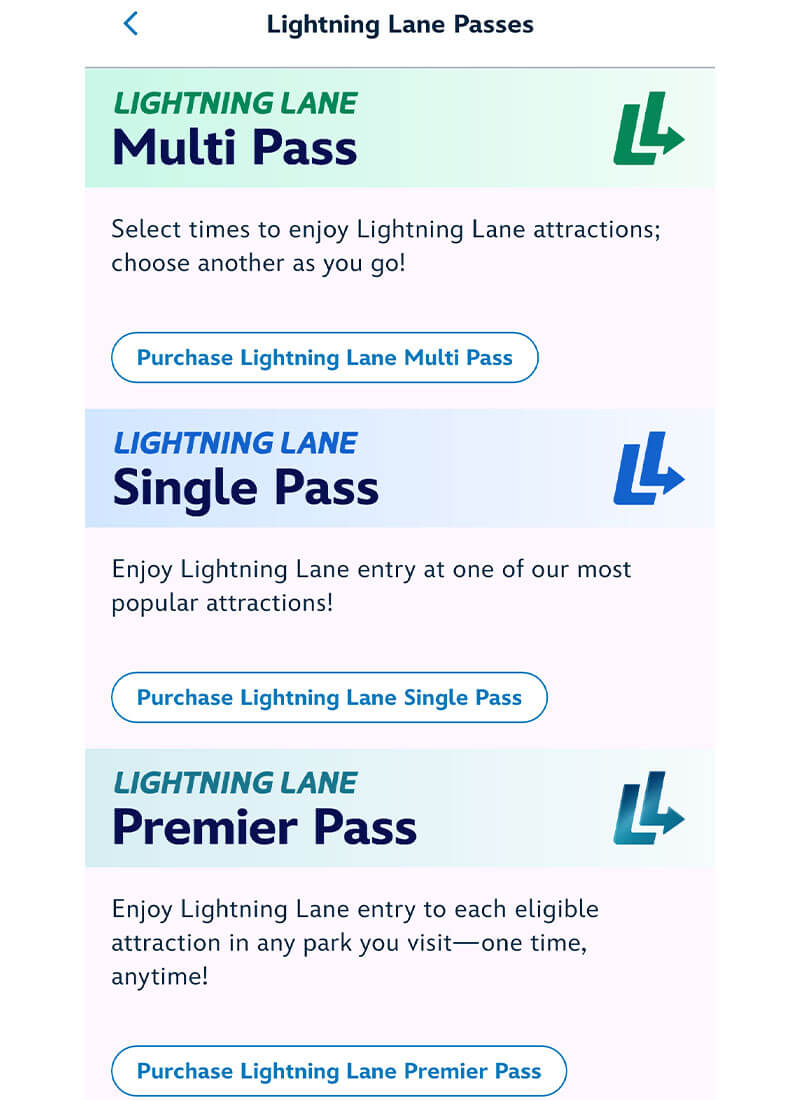
And if you don't want to deal with scheduling rides and studying these tips, there is a premium option that gives you one-time access to every available Lightning Lane (including Single Pass rides) whenever you want to ride: Lightning Lane Premier Pass
Recent Updates
The Disneyland app changed in April 2026. The Tip Board is now "Wait Times & Showtimes." There is no more "My Day" tab. Instead, find your plans and Lightning Lane selections under "My Plans." An upcoming change to be aware of is that the park-hopping time restriction goes away June 9, 2026, so that means you no longer have to wait until 11 a.m. to park hop or wait until a ride is distributing for 11 a.m. or later when picking a ride in the other park. This change will allow much more flexibility for plans, including maximizing the use of Multi Pass in both parks!
Disneyland versus Disney World
Keep in mind that all of this information is specific to Disneyland Resort. If you are looking for Disney World Lightning Lane Multi Pass tips and strategies, we have a whole post on that with specific tips for Disney World.
The good news is that using Lightning Lane at California Adventure and Disneyland does not require you to plan in advance like you do at Disney World. But that doesn’t mean you can’t take it to its full potential and get your money’s worth! Using Lightning Lane Multi Pass is not just about getting those Lightning Lane rides but also freeing up your time so you have more time to also experience other rides, shows, characters, dining and experiences in the parks and hotels. When you shave hours off wait times, you can use that time to access more rides and experience so much more of what Disneyland has to offer.
You CAN buy tickets loaded with Lightning Lane Multi Pass at Disneyland. Purchase tickets from Undercover Tourist to get the best possible Lightning Lane Multi Pass price (and some FREE Dining Dollars promo codes you can use to save up to 15% on Disney gift cards or to save even more on dining gift cards).
You CANNOT purchase Lightning Lane Single Pass in advance, and you cannot start booking any Lightning Lanes until you have entered a theme park that day.
Getting Started
You probably already downloaded the Disneyland app, since you'll need to link your park tickets, make theme park reservations and use the app to show tickets to enter the park. Feel free to pick up your phone and play along as we go over things to get familiar with where to make or find your plans in the app and typical wait times. Bring a phone charger with you to the parks so you stay fully powered all day. Also, make sure you have the latest update for the day of your visit so you can access all the new features.
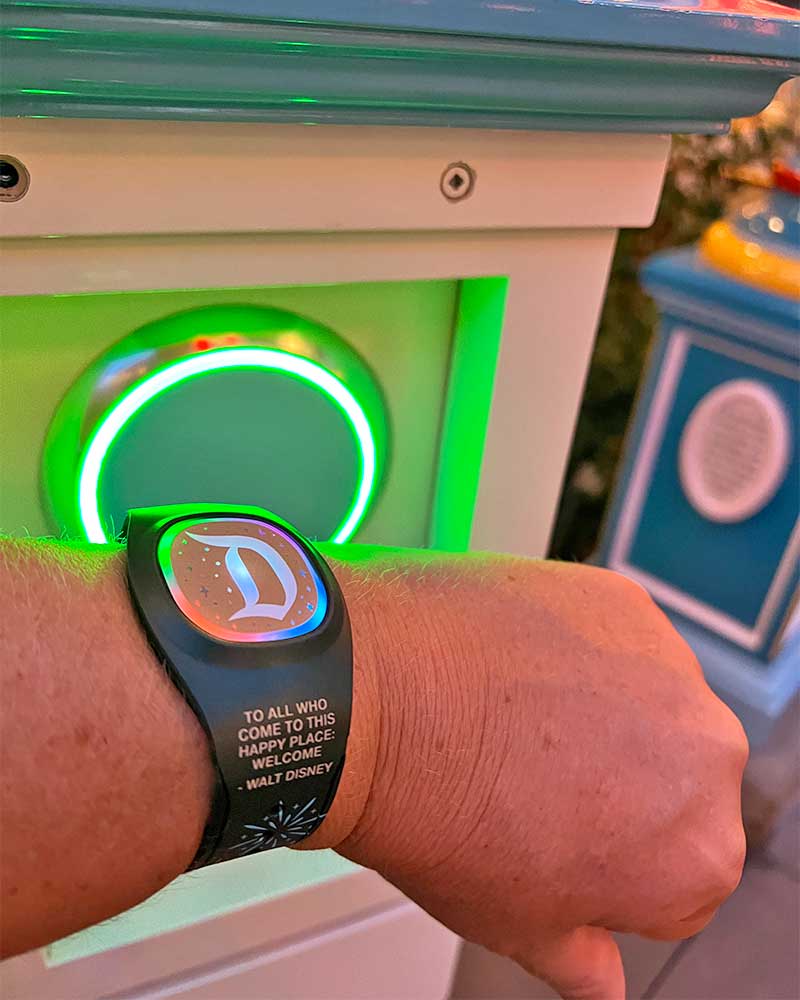
 One more post may be hopful now that MagicBand+ has come to Disneyland. You can redeem Lightning Lanes with a tap of your MagicBand.
Knowing How and When to Purchase Lightning Lane Multi Pass
There are a few ways to purchase Lightning Lane Multi Pass. You can buy discount theme park tickets pre-loaded with Lightning Lane Multi Pass at Disneyland through Undercover Tourist to save some money and time. It's simple and easy, and you get the best price. You can also purchase tickets with Lightning Lane Multi Pass from Disneyland directly without the savings. Lightning Lane costs can vary by day if you are purchasing a la carte, so purchasing in advance locks in your Lightning Lane rate — so not only are you saving time by purchasing Lightning Lane in advance, but you're also saving yourself some money. At Disneyland, Lightning Lane service also comes with complimentary PhotoPass downloads for the day, so there's some additional value included there, as well.
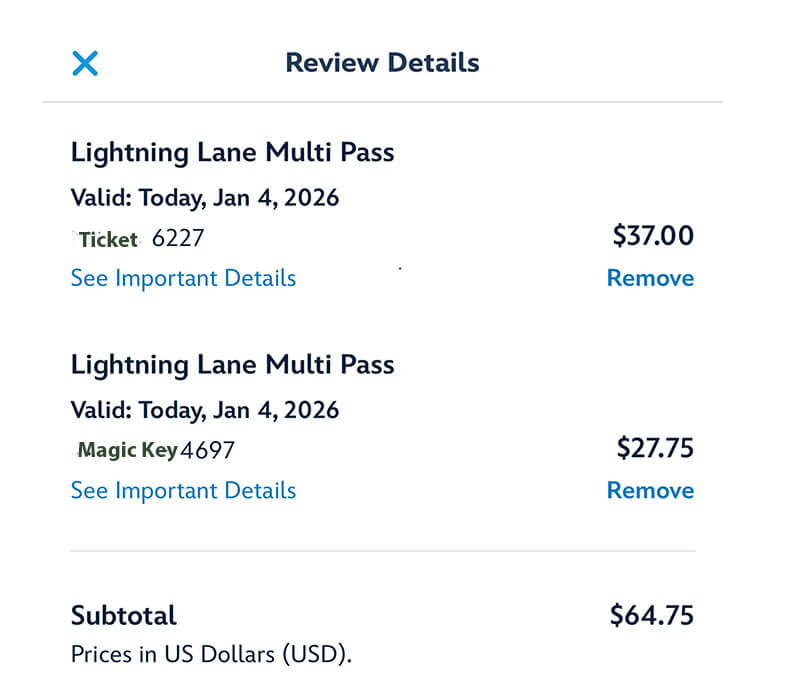
No matter where you buy your tickets, you can also purchase Lightning Lane Multi Pass in the park in the Disneyland app each day if you have tickets that don't already have Lightning Lane Multi Pass on them. Having Lightning Lane Multi Pass on your ticket skips a step in the morning. But if you are not sure if you want it each day, purchasing in the park is not a problem and won't really slow you down. It may cost you more to purchase in the park, though.
You can sometimes upgrade your 1-Day ticket in the app before you visit.
Purchasing Lightning Lane Multi Pass in the Park
Our favorite way to purchase Lightning Lane Multi Pass in the park when we do not have a preloaded ticket is to purchase it under the new Lightning Lane menu. Tap the three horizontal lines (hamburger menu) at the bottom right-hand corner of the app and tap "Lightning Lane Passes." You can view all the Lightning Lane products there. You can also purchase in the app from the home page and under "Wait Times & Showtimes."
Purchasing for Additional Party Members
If you have a mixed party of some people who purchased tickets with Lightning Lane Multi Pass and others who plan to buy in park (including Magic Key holders), it's actually kind of tricky to figure out how to purchase for the others in park. Here's how to find the place to buy for additional party members. Under the "Wait Times & Showtimes," see that green bar that says "You have Lightning Lane Multi Pass?" It has an arrow pointing down.

Tap that to pull down an option to "Purchase for another guest."

 How do you find this menu? Tap the hamburger menu (three lines) and "Wait Times & Showtimes" (under My Visit).
Purchasing for Some Party Members
We don't necessarily want to purchase Lightning Lane Multi Pass for our youngest daughter, Lily, since she is not tall enough for most of the rides. (Want to know more about height requirements at Disneyland to see how your kiddos measure up? Hop here!) Also, we only want to purchase for the froggies living on our own lily pad when visiting with other families. Using the links under "Wait Times & Showtimes," we can select only the party members we want to pay for who will be using Lightning Lane Multi Pass.
Magic Key Discounts
Magic Key holders now get a 25 percent discount on Lightning Lane Multi Pass (at times, there is a bigger discount). But if Magic Key holders are visiting with regular ticket holders, the discount only applies to the Magic Key holders. Also, a Magic Key holder using a different admission ticket pays full price. The discount is only for Lightning Lane Multi Pass. No discounts on Lightning Lane Single Pass.
Arrive Early
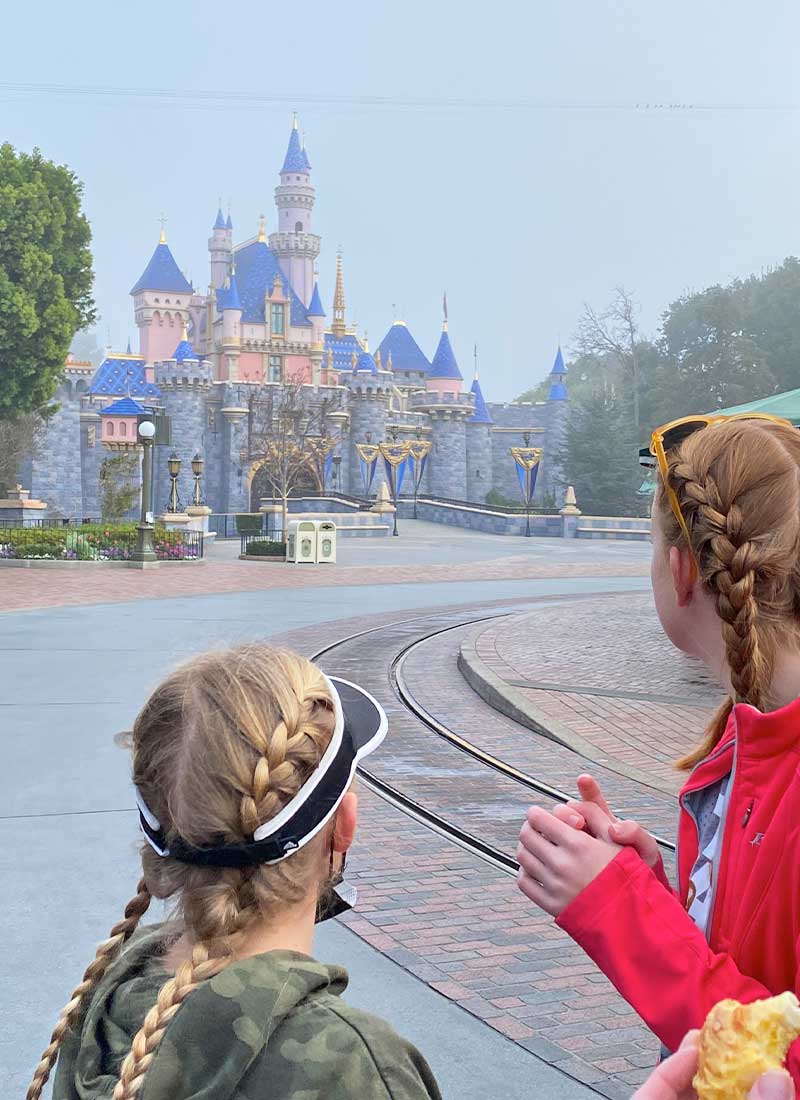
Our favorite time of day in any theme park is the first hour after park opening. When you arrive early, you have short to no wait times and cool temperatures. You get the best value for your theme park ticket and Lightning Lane Multi Pass if you arrive at or before park opening, as opposed to arriving in the afternoon when lines are long across the resort. There are fewer Lightning Lanes in the afternoon, and the selections may be several hours away. If you can arrive before rope drop, you'll have the best options. Here are our tips:
- Enter a theme park ASAP. The service doesn't work until you've entered a theme park for the day. It works best if you have your whole party arrive together.
- Purchase Lightning Lane Multi Pass if you don't already have it on your ticket, and make your first Lightning Lane selection as soon as you enter the park. But don't necessarily use your selection right away unless you have limited time in the park. Save it for the end of its window (or modify it for later).
- Ride the rides without Lightning Lane in the morning.
- Use the standby line for rides with Lightning Lane that you’ll want to hit more than once (such as Guardians) now without a long line and then use Lightning Lane Multi Pass to ride again later.
- Use your Lightning Lanes at the end of the one-hour window in the morning and take advantage of other short lines while your space in line is secure at a Lightning Lane.
- Don't blow through all your Lightning Lanes in the morning. Save some for the afternoon and evening when all the park lines are at their peak. That is, unless you are hopping or only have a half-day in the park. Book something and modify your plans until later.
- Take advantage of getting a nice morning PhotoPass photo of the group before roller coaster hair and long lines happen. It's included with Lightning Lane Multi Pass. Remember to link attraction photos in the app too!
- If you are staying at a Disneyland hotel, you can book your first Lightning Lane Multi Pass ride as soon as you enter the theme park. Then focus your first hour on riding rides without Lightning Lane Multi Pass or the rides that are most popular on Lightning Lane Multi Pass.
- Book a late breakfast so you can take advantage of short waits at park opening and work up an appetite.
- If you are in the park early, book rides that are likely to not open right away. What? Seriously, if you are in the park before rope drop, book Indiana Jones Adventure or Toy Story Midway Mania! Those rides sometimes have a delayed opening. If they do not open right away, you'll receive a Multiple Experiences Pass and can then re-book those rides and save the pass for later.

All Disneyland theme park guests must enter a theme park to start making Lightning Lane selections. That goes for Disneyland Resort hotel guests too. So let’s say you are planning on having breakfast first before heading into the park, if you have time, hop into a park and then leave and go to breakfast. This way, you can start reserving Lightning Lanes before you enter the park after the meal. The Monorail turnstile counts as a park entrance, BTW, if you are planning on breakfast at Goofy's Kitchen and want a shorter walk to scan in.
We usually book a late breakfast or brunch after 10 a.m., so we can take advantage of the morning in the park and then sit down for a good breakfast. During breakfast, we set up our next rides. If you choose a character breakfast, let the characters come to you, saving you time in the park later when you don't have to wait in line to meet them.
Lightning Lane Multi Pass at Disneyland Park

You can hop into "Wait Times & Showtimes" right now and during theme park hours to see in real-time what the wait times and Lightning Lane distribution look like. This can help you prioritize your ride selection for morning, afternoon and evening.
| Priority Level | Our Ride Recommendations |
|---|---|
| High Priority (first to book) | Indiana Jones Adventure, Space Mountain |
| Medium Priority (second to book) | Matterhorn Bobsleds, Millennium Falcon: Smugglers Run, Big Thunder Mountain Railroad, Mickey & Minnie's Runaway Railway, Roger Rabbit's Car Toon Spin; when available, Haunted Mansion and it's a small world Holiday overlays |
| Lower Priority (book in afternoon or evening) | Star Tours, Buzz Lightyear Astro Blasters, "it's a small world" and Autopia |
One of the most popular rides in the park is Star Wars: Rise of the Resistance. It has a Lightning Lane Single Pass and a free standby line. We have a whole post on the best strategies for accessing this ride.
In the morning, you can hit a lot of Fantasyland rides before lines form. Jungle Cruise and Pirates of the Caribbean are also good rides to hit early (or late, during Fantasmic!). If you are not using Lightning Lane Multi Pass, ride "it's a small world" early because the standby line can get longer after 11 a.m.
Tips for Using Lightning Lane at California Adventure
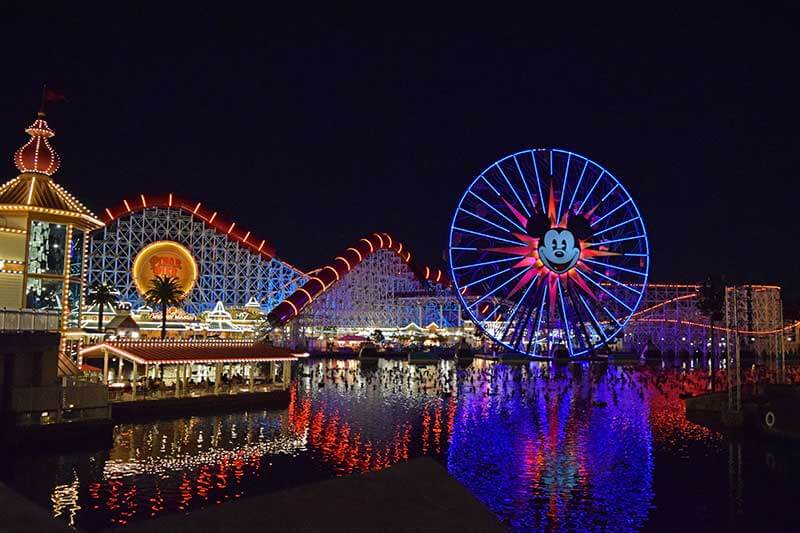
Our top tip for using Lightning Lane at California Adventure is to start your day in this park. Arrive at park opening. This park has about nine Lightning Lane Multi Pass rides (10 during Halloween Time, when you can book each version of Guardians each day). Having fewer rides with Lightning Lane Multi Pass means they can be distributed a little faster than at Disneyland. Why? There are fewer of them to go around. But again, don't worry. You'll still have a great selection most of the day.
| Priority Level | Our Ride Recommendations |
|---|---|
| High Priority (first to book) | Guardians of the Galaxy - Mission: BREAKOUT!, Toy Story Midway Mania!, Soarin', WEB SLINGERS |
| Medium Priority (second to book) | Monsters, Inc. Mike & Sulley to the Rescue!, Incredicoaster |
| Lower Priority (book in afternoon or evening) | Grizzly River Run (except on hot days, which increases priority), Goofy's Sky School and The Little Mermaid |
If you acquire any Multiple Experiences passes, Pixar Pal-A-Round, Mater's Junkyard Jamboree or Luigi's Rollickin' Roadsters may be good replacement options. Those are also great rides to hit in the first hour of park opening. Of course, you can save your Multiple Experiences passes for hopping to Disneyland. Or use them to ride a favorite ride a second time at Disney California Adventure.

The most popular ride in this park has a Lightning Lane Single Pass for a separate fee. Radiator Springs Racers is not included in Lightning Lane Multi Pass. But it has a standby line and a Single Rider line.
The default park in the app is Disneyland, but you can tap "Change Park" to switch to Disney California Adventure.
During Halloween Time, book Guardians of the Galaxy first. Then book the Monsters After Dark scary version once it becomes available (if you're brave enough). The ride closes about 2 p.m. and reopens as Monsters After Dark about 3 p.m. Once distribution ends for the normal daytime Guardians ride, then Monsters After Dark becomes available to book. Lines can get scary long for the limited-time Monsters After Dark version.
If you get any Multiple Experience Passes (due to a ride breakdown) you may be able to use them to skip the line for rides without a Lightning Lane in this park.
Lightning Lane Multi Pass at Disney California Adventure & Disneyland: Tips for Park Hoppers
If you are park hopping, that's when Lightning Lane Multi Pass really pays off with up to 23 ride choices. For us, it's all about setting ourselves up for success in the second park when afternoon crowds are highest. Nobody likes to enter a park and encounter long wait times. But you if have set up one or more Lightning Lanes for just after you park hop, you’ll skip to the front of the line! But there are a few new changes in place for park hoppers who book Lightning Lanes.

If you are booking a Lightning Lane Multi Pass or purchasing a Lightning Lane Single Pass when park hopping, you can switch parks at the top of the "Wait Times & Showtimes" page
Here are our best park-hopping strategies:
- Arrive in the first park before rope drop (everyone can enter the theme parks about 30 minutes early).
- Book your first Lightning Lane Multi Pass and set your alarm for two hours in case you don't use it ride away.
- Use a combination of finding the shortest standby lines and using Lightning Lane Multi Pass in the morning.
- Modify your first Lightning Lane Multi Pass to later if you need to. Modifying does not reset the two-hour clock.
- If you use your Lightning Lane, rebook the next one immediately.
- Set an alarm for two hours later to remind yourself to book the next Lightning Lane unless you can ride before two hours is up.
- Park hop as early as 11 a.m. through June 8, 2026, or 8 a.m. as of June 9, 2026. Being able to park hop any time as of park opening will definitely change the game and allow you to book Lightning Lanes for your second park even earlier!
- If you acquire any Multiple Experiences passes, save them for the second park (find out more under "Take Advantage of ride breakdowns”).
- Start in Disney California Adventure. (Why? You can whip through most of the rides you want by hop time, and Disneyland usually has more Lightning Lane options as the day goes on.)
- If you don't see a time that works for you, book one anyway, and then modify (not cancel) it to a time that does work or a different ride. Why? When you modify, it does not affect the time you are next eligible to select a new ride.
One of our favorite tips for using Lightning Lane Multi Pass at Disneyland is to start your day in DCA. Why? You can accomplish a lot in that park in the morning, especially if you rope drop. By using Lightning Lane, Single Rider (for Radiator Springs Racers) and a few other time-saving strategies, you can accomplish everything you want to do in that park in the first few hours of the day. Then, when you hop to Disneyland, there is still plenty of Lightning Lane availability in that park.
Tips for Disneyland Resort Hotel Guests
One of the benefits of staying on-site at a Disneyland Resort hotel is getting a free Lightning Lane Multi Pass attraction per person, per stay. Here are tips for using it:
- Check in online at least a day in advance.
- Make sure every guest is registered/listed on your reservation.
- Make sure each guest has a park ticket and park reservation, which are necessary for entering the park to ride.
- Link your hotel reservations to your MyDisney account in the Disneyland app to view the benefit.
- To redeem it, show the in-app Lightning Lane barcode at the attraction.
- Research which attractions have Lightning Lane Multi Pass.
This perk does not necessarily take the place of purchasing Lightning Lane Multi Pass. If you are buying Multi Pass, this bonus attraction can be used to make your day easier. Use it for one of the attractions that "sells out" early, such as Guardians of the Galaxy, Toy Story Midway Mania!, Space Mountain or Indiana Jones Adventure. Or use it to ride a favorite ride twice. We recommend saving it for the afternoon and early evening when wait times are long and Lightning Lane selections are more scarce.
How to Ride Your Favorite Lightning Lane Rides More Than Once

You can only use your Lightning Lane to book your favorite ride once per day. But once is not enough sometimes. How can you ride again without waiting in a long standby line? Here are a few strategies that work for us:
- Use Single Rider if available (only at select rides).
- Ride early morning or late at night. You can walk on rides such as Indiana Jones Adventure, Big Thunder Mountain Railroad, Matterhorn Bobsleds, Guardians of the Galaxy — Mission: BREAKOUT! or Toy Story Midway Mania! at park opening. Save the Lightning Lane for these rides for later.
- Use Multiple Experiences passes (if a ride breaks down during your return window, you'll receive one of these) to ride your favorite ride again.
- Use Rider Switch — Have a small child who is not tall enough or brave enough to ride? Let the attendant know, and you can set up the first riding party and the second party, which includes the first babysitting person (and up to one other, which can include a member of party one). When the babysitter gets to ride, one lucky person gets to go twice! The babysitter's Lightning Lane will be noted as a Rider Switch. If the person is in a waiting period to book another ride, that will be released so the whole group can select the next ride together.
- If you are a Disney hotel guest, use your free Lightning Lane Multi Pass attraction to ride again via the Lightning Lane.
Hacking the Disney Lightning Lane Multi Pass Stacking Strategy
You may hear the term "stacking." What does that mean? You can usually book only one Lightning Lane selection at a time. However, there is an exception. Lightning Lane windows are given out on a rolling basis. You'll get the first available Lightning Lane. But if the window you choose is more than 120 minutes away, then in two hours, you can choose another. If that window is over two hours away, you can book another even before you use the first two. So you might have three Lightning Lanes lines stacked up in your app for the afternoon or evening.
We use stacking a little before we hop to the afternoon park. But it's also easy to do if you take a break from the theme parks for a bit.
For example, during a recent stay at Disney's Grand Californian Hotel and Spa, we rope dropped Disney California Adventure. By mid-morning, we left the park for character dining brunch at Storytellers Cafe, followed by pool time. From the time we redeemed our last morning ride, through breakfast and pool time, until we hopped to Disneyland, we used Lightning Lane Multi Pass to select rides for the afternoon at Disneyland.
You don't have to be in a park to make selections. You just have to have entered a park to make them! We set an alarm every two hours to remind us to set up the next Lightning Lane. We looked for rides in either park that were temporarily closed to reserve them to score a Multiple Experiences pass. Those can be used for all kinds of rides and have no time limit until the park closes. When we dried off and headed back to Disneyland in the mid-afternoon, we had multiple rides ahead of us without a wait. It was a very efficient but also relaxing day!
Know When You Can Make the Next Ride Selection
Knowing when you are eligible to make a new Lightning Lane selection is one of the most important parts of the stacking strategy. You can make a new Lightning Lane Multi Pass selection:
- As soon as you have entered a theme park.
- As soon as you redeem the previous Lightning Lane, or
- If it's been 120 minutes since you booked a ride window that was more than 120 minutes away (even if you have not used it yet), or
- If you tell the cast member at the Lightning Lane entrance that some people are doing Rider Switch.
- You do not have to be in a park to book. Once you enter a park, you can leave and book from anywhere you have a cell or Wi-Fi signal.
- Lightning Lane Multi Pass attractions are unaffected by Lightning Lane Single Pass purchases, which have no waiting periods attached to them.
You should also know when you can redeem your Lightning Lane:
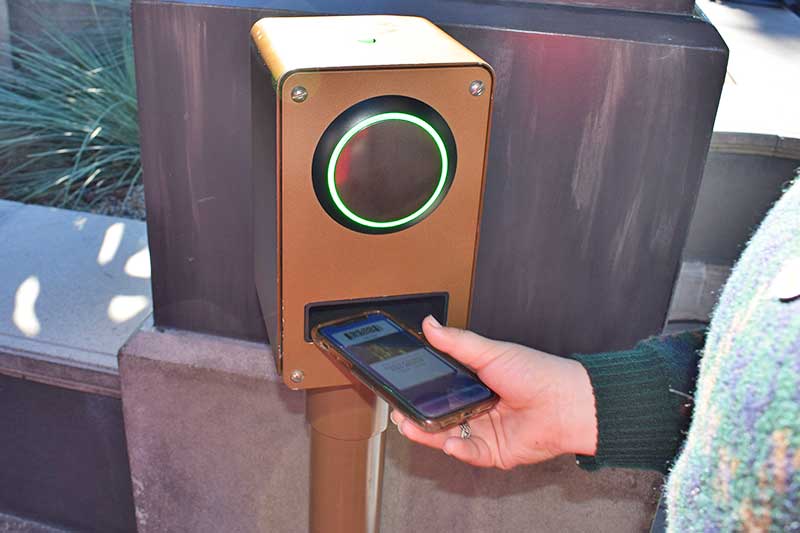
- You can scan in at the Lightning Lane entrance as soon as you see the "redeem" button, about 5 minutes before your window begins.
- If you are running late, you can usually redeem about 10 to 15 minutes late. But try not to be too late because some rides, such as Matterhorn Bobsleds or Guardians, can have a long line just to scan in later in the day.
Set Alarms
Set an alarm or timer on your phone for two hours away as soon as you book a Lightning Lane that is far off. That way, you won't froget to make the next one. You can maximize the number of Lightning Lane selections you can make.
Modify Plans Rather Than Canceling Them
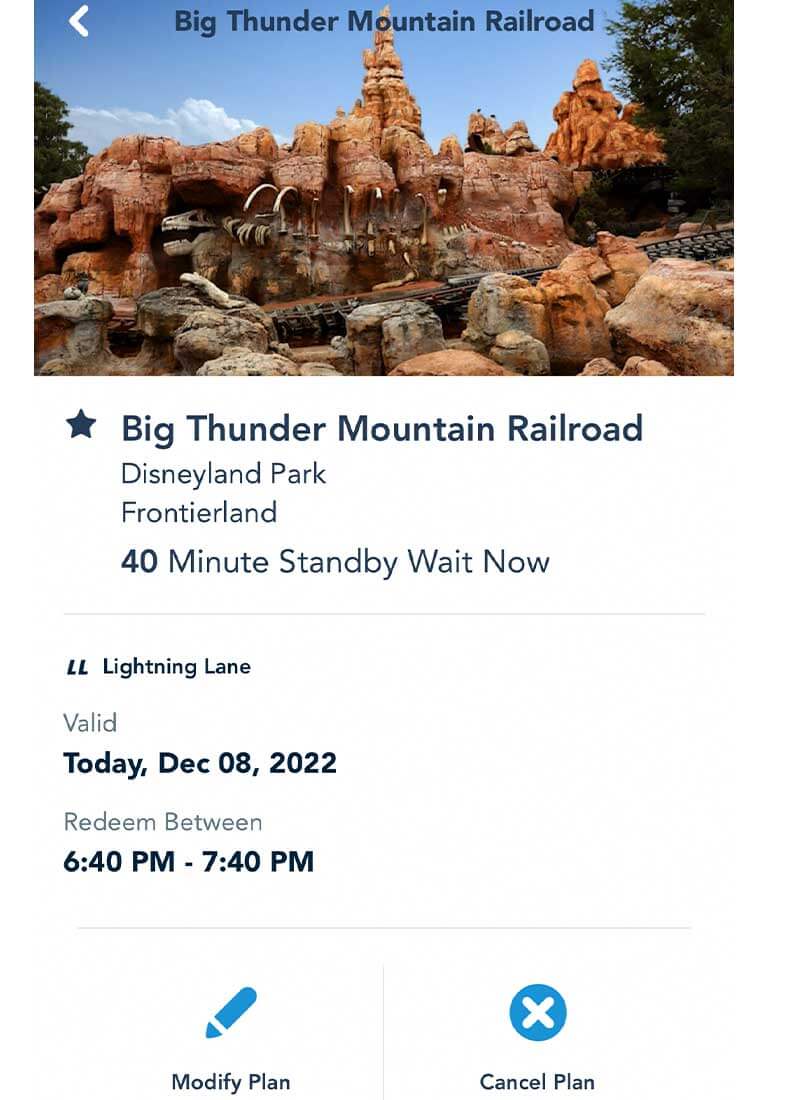
Be careful when you cancel a ride selection to rebook something else when you have stacked times. Let's say at 11 a.m., you picked Guardians for 1 to 2 p.m. At 1 p.m., you selected Soarin' for 2 to 3 p.m. But at 1:30 p.m., you realize you might not make Guardians in time and want to cancel and rebook that ride for later. Even though your 120-minute waiting period for Guardians has ended, you cannot rebook Guardians until you redeem Soarin' or 3 p.m. rolls around. Why? You are still in a waiting period for Soarin' and cannot make any more selections, even to replace canceled rides. If you cancel Guardians, you will not be able to rebook it until those times, or you cancel Soarin' to remove yourself from the waiting period. Yep, we learned that lesson the hard way.
Enter the "Modify Plan" option. You can modify your selection to the first available time for the same ride or a different ride in the same park. Is someone new joining you for the new time? You can edit your party size during that change. The benefit of modifying over canceling is that modifying does not affect the time you are next eligible to book a new ride. It doesn't reset the clock. This way, you don't lose the ability to replace a ride like you would in the above cancel scenario if you are in a two-hour waiting period for a different Lightning Lane selection.
If your time to ride expires, you can now tap "Cancel Plan" to reschedule it. As long as there's still availability for that ride. (And you are not in a different waiting period for a different ride.) That's why it's better to modify before it expires. You can also try asking at the ride if they can accommodate you before you cancel. Present your tickets for scanning.

Use Rides with Later Return Times Strategically
If you are choosing a ride that won't be available for a few hours, do it when you have a plan to enjoy a meal, wait in a different ride, see a show or take a break during that time.
Use the Toggle Switch to View Only Rides with a Lightning Lane
On the "Wait Times & Showtimes" page, you can toggle between viewing all the rides in a park or just the rides that offer Lightning Lane Multi Pass and Lightning Lane Single Pass. That way, you can find and book your next ride faster and easier.
More Expert Tips to Save Money with Lightning Lane Multi Pass at California Adventure & Disneyland
We green frogs are all about budgeting and saving money on a trip. We feel that Lightning Lane Multi Pass is a great value for most families, especially since it includes PhotoPass. If you are a PhotoPass photo buyer, then you will save right there. Here are tips to save money and get the most for your money with Lightning Lane Multi Pass.
- If you just want Lightning Lane Multi Pass for the PhotoPass photos, then just buy it for one person.
- Don't buy for toddlers. Your little ones are not tall enough for most of the Lightning Lane Multi Pass rides. Ages 2 and under do not need a park ticket. They can just hop along on Lightning Lane Multi Pass rides without a height requirement.
- Save with Lane Multi Pass tickets.
- Use Rider Switch if you have small children.
- Use when park hopping to get the most Lightning Lane Multi Pass rides for your money.
- Only use Lightning Lane at California Adventure or Disneyland on select days of your trip. Focus on Lightning Lane Multi Pass rides and PhotoPass photos on the days you have it. Focus on other rides, shows, parades and table-service dining on the days you don't have it.
- If you know you want to use Lightning Lane Multi Pass every day, purchase tickets with Lightning Lane Multi Pass to lock in the lowest price. The price to purchase each day can vary.
- Since Lightning Lane Multi Pass is a cost per person, per day, find ways for each person to save money to pay for Lightning Lane Multi Pass. Bring snacks from home and refillable water bottles. Drink free water at restaurants instead of soda. Find small ways to save at home before your trip so you can splurge on Lightning Lane at California Adventure and Disneyland.
- If you want to avoid the cost of Lightning Lane Multi Pass, look at our post on the best times to visit Disneyland and crowd calendars. That way, you can predict the lowest crowd levels, arrive at rope drop, take advantage of short lines during nighttime entertainment and the last hour of park opening and follow our Disneyland itineraries so you go in with a park plan.
- Take advantage of Disney PhotoPass! Lightning Lane Multi Pass comes with unlimited PhotoPass downloads for the day. That includes on-ride photos as well as shots from professional PhotoPass photographers around the park. Our PhotoPass post has all the details so you can take home hoppy memories with everyone in the shot!
- Be sure to update to the latest version of the Disneyland app before your visit.
Have you uncovered any other tips for using Lightning Lane at California Adventure and Disneyland? Share them in the comments section below. You can save on multi-day Disneyland Resort Lightning Lane Multi Pass tickets when you purchase from your favorite froggy friends. Ribbit!
Related: Tips to Maximize Time at Disneyland
Related: All of the Magical Reasons to Stay at a Disneyland Resort Hotel
Keep Hopping!