



Ahhh! You're ready to set sail — tropical drink in hand, flip-flops on deck and your phone ... disconnected? In that case, you’re probably wondering: do cruise ships have Wi-Fi? The short answer — YES! But there are some differences and important things you'll want to know depending on your cruise line, ship, itinerary and budget. Today, we're hopping through the most popular cruise lines, including Disney Cruise Line, Royal Caribbean, Carnival, MSC, Norwegian and Virgin Voyages — to give you a frogtastic breakdown of cruise Wi-Fi packages, pricing and what to expect at sea! Let's get to surfing ... the web, that is!
Hop To
FAQs
- Do cruise ships have Wi-Fi? All major cruise lines offer Wi-Fi onboard, but what’s included and how much it costs varies widely. Most ships provide free access to their cruise line app for messaging and schedules, while browsing, email and streaming require a paid package.
- Is cruise ship Wi-Fi free? Usually not. Free Wi-Fi is typically limited to in-app messaging or basic ship services. Virgin Voyages is an exception, offering free Basic Wi-Fi for all sailors. Other cruise lines charge per device, per day for internet access.
- Can you stream Netflix or use FaceTime on a cruise? Sometimes. Streaming and video calls usually require a higher-tier Wi-Fi package, such as Disney Cruise Line’s Internet + Streaming plan or Norwegian Cruise Line’s Streaming Wi-Fi. Even then, speeds can vary based on ship location and network demand.
- Is cruise Wi-Fi fast enough to work remotely? It depends on the cruise line and package. Cruise lines using Starlink, such as Disney, Royal Caribbean, Norwegian and Virgin Voyages, generally offer better speeds. For video calls, VPN access or remote work, you’ll want a premium or work-focused internet plan.

Do Cruise Ships Have Wi-Fi?
Yes, cruise ships do have Wi-Fi, but what’s included and how much it costs can vary by cruise line. Most major cruise lines offer free onboard Wi-Fi with very limited functionality, usually just enough to message others in your travel party through their app. For anything beyond that, such as browsing, checking email or streaming, you’ll need to purchase a Wi-Fi package.
Below, we’ve included quick summaries of what to expect from a few of our favorite cruise lines. Be sure to research your specific cruise line before you sail so you know what to expect and can plan your budget accordingly.
Also, many cell phone providers offer international travel data packages (like Verizon TravelPass or AT&T International Day Pass). Keep in mind that prices and package details can change, so double-check with your cruise line and cell provider before you go.
Set sail with premium savings on Disney Cruise Line, provided by Undercover Tourist! Save up to 25% on select Disney Cruise Line bookings. Plus, get a FREE in-room decor set! Even better? You can lock in select Disney cruises for only 10% down! Ribbit!
For a limited time, get get 60% off the second guest AND Kids Sail Free on select Royal Caribbean itineraries! Plus, get up to $1,000 onboard credit!
Disney Cruise Line Wi-Fi
Whether you're hopping on the new Disney Treasure or sailing on a classic ship like the Disney Wonder, Disney Cruise Line has seriously upgraded its internet in recent years, thanks to the rollout of Starlink satellite technology across the fleet. With stronger coverage and faster speeds, staying connected has never been easier.

Disney Cruise Line Wi-Fi Packages
Disney Cruise Line offers two Wi-Fi packages, so you can choose the level of connectivity that suits your needs.
- Internet package: Includes email, social media, texting, Zoom and Wi-Fi calling.
- Internet + Streaming package: Includes all features of the Internet package with faster connection speeds and full streaming access.
Disney Cruise Line Wi-Fi Pricing
- Internet package: $30 per device, per day
- Internet + Streaming package: $49 per device, per day
You can buy a package for 24 hours or for the length of your cruise. The rate is discounted when you purchase Wi-Fi for the length of your cruise during the first 24 hours.
Multi-Device Options
Yes, you have the option to purchase a package with up to four devices or choose separate individual packages. There is a discount for connecting multiple devices, meaning it will be cheaper to buy one plan for two devices (if you need to have your phone and laptop connected at the same time) than to buy two separate plans.
Can You Switch Between Devices?
You can switch between devices under a single plan. Hop between devices by logging out of one and into another anytime — perfect for tag-teaming with your travel crew.
Staying in Touch Onboard

The Disney Cruise Line Navigator app offers free onboard messaging for all guests. It works over the ship's network without needing a paid Wi-Fi plan and allows you to send texts, use pre-set phrases and even send those adorable character-themed emojis. You can even use the app to access WhatsApp and send iMessages during your sailing, though sending photos and videos may require a paid plan. Just make sure each traveler has the app downloaded and connected.
Once you're at the cruise port or onboard, connect to the DCL-GUEST WiFi network in the Disney Cruise Line Navigator app.
Hop Tip: Some parents give their tadpoles a hand-me-down phone just for the app — a magical way to stay in touch while giving a little independence.
Need help planning your Disney cruise? We've got you covered here!
Royal Caribbean Wi-Fi
Whether you're surfing the FlowRider or streaming your favorite playlist poolside, Royal Caribbean's VOOM internet is there to keep you connected. Known as "the fastest internet at sea," Royal Caribbean's Wi-Fi will keep you connected from ship to shore. You'll be ready to hop online at sea and on land at Perfect Day at CocoCay!

Royal Caribbean Wi-Fi Packages
Royal Caribbean keeps it simple with one internet package across the fleet: the VOOM Surf + Stream package. It's fast, reliable and even works at Perfect Day at CocoCay at no additional cost. You can purchase an unlimited internet package or buy 24-hour blocks of time.
- VOOM Surf + Stream: Browse the web, stream your favorite shows, post on social media, video chat, email and more.
Royal Caribbean VOOM Pricing
Royal Caribbean's VOOM package typically range from the upper $20s to low $30s per day, per device. Discounted rates are offered when purchased pre-cruise via the Cruise Planner website or app. Pre-purchase savings can be up to 30% off. Pricing fluctuates frequently, so exact daily rates may vary by sailing.
Can You Switch Between Devices?
Yes! You can log out of one device and into another at any time. Just follow the prompts that appear on your screen.
Multi-Device Options
One of the things we love about Royal Caribbean's VOOM internet is the ability to purchase a multi-device plan. You can purchase a Wi-Fi package for a single device, or up to four devices at a discounted bundled rate — toadally perfect for our froggy family!
Staying in Touch Onboard
Need to corral your party for trivia or grab a buddy for a slice of pizza? With the Royal Caribbean app, you're covered with free app-based messaging throughout your cruise. Once onboard, just connect to the Guest Wi-Fi network and open the app to get started. The in-app chat supports one-on-one chats as well as group messaging, ideal for coordinating meet-ups and keeping track of everyone.
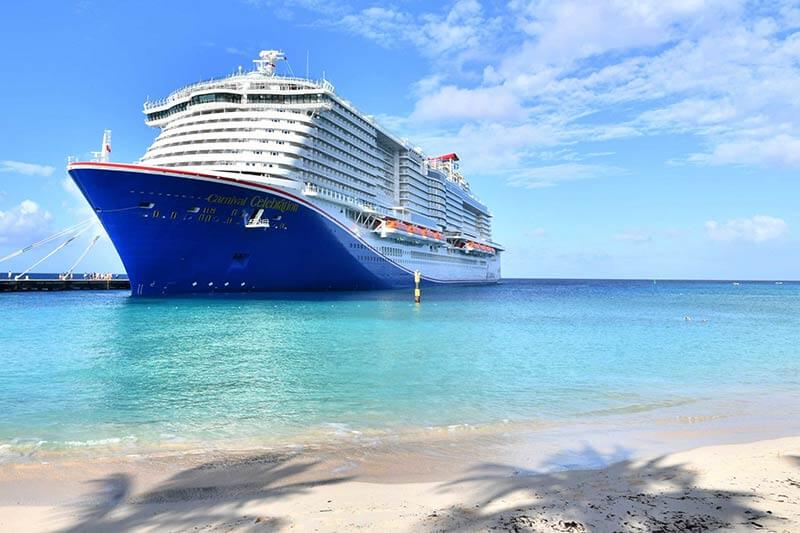
Carnival Cruise Line Wi-Fi
Known for fun-filled vacations and lively ships, Carnival Cruise Line also offers one of the most affordable Wi-Fi options at sea. With three budget-friendly tiers, it's easy to choose the plan that fits your needs.
Carnival Wi-Fi Packages
Carnival's Wi-Fi packages keep things simple with three affordable options.
- Social Plan: Access to social media, messaging apps, most websites, email, Wi-Fi calling and music streaming devices such as Spotify, Netflix and Hulu.
- Value Plan: Includes everything in the Social Plan, but with faster connection speeds.
- Premium Plan: Includes everything from the Social and Value Plans at speeds up to three times faster. Access includes full streaming capabilities.
Carnival Internet Plans Pricing
- Social Plan: Starting around $18-$20 per device, per day
- Value Plan: Starting around $22-$24 per device, per day
- Premium Plan: Starting around $23-28 per device, per day
- Premium Multi-Device Plan: $84.00 per day, up to four devices (not available onboard and can only be purchased online prior to sailing)
Pricing varies by ship, itinerary and demand and has increased on some sailings in late 2025 and early 2026.
You can save up to 15% when you book for the full cruise in advance. Wi-Fi packages purchased before sailing can be purchased online until 11:59 p.m. the day before embarkation.
Can You Switch Between Devices?
Yes, but with a little hiccup. Logging in on a second device will boot you off the first device with no warning or prompt. If you have two tadpoles sharing a plan, this can cause a little drama, so it's good to be aware.
Multi-Device Options
Yes, you can purchase the Premium Multi-Device Plan starting at $84 per day for up to four devices. If you don't need to be online at the same time, you can just purchase one package and coordinate the log-in and log-off process.
Staying in Touch Onboard
The Carnival Hub app includes onboard messaging for a one-time fee of around $5 per person for the length of the cruise. It works over the ship's local network, so no internet plan is needed. It's a text-style service that makes rounding up your trivia team a breeze.
MSC Cruises Wi-Fi
With a strong European presence and a growing U.S. market, MSC Cruises is steadily upgrading its digital offerings. Whether you're sipping espresso in the atrium or lounging on the pool deck, MSC offers two internet options.

MSC Cruises Wi-Fi Packages
MSC offers two plans so you can choose whether you just want to browse the web or marathon watch your favorite show. Performance continues to improve, especially on newer ships sailing from U.S. ports.
- Browse Internet Cruise Package: Includes unlimited data, web browsing, social media, email and messenger apps.
- Browse & Stream Cruise Package: Adds streaming, video calls and higher connection speeds.
MSC Cruises Internet Pricing
- Browse Internet Cruise Package: Approximately $12-$15 per device, per day
- Browse & Stream Cruise Package: Approximately $25-$30 per device, per day
Advance purchase through MSC's booking portal often includes discounts of up to 25% savings.
Can You Switch Between Devices?
No, you can only register one device and the device cannot be changed.
Multi-Device Options
MSC offers multi-device options, but you can also add devices individually.
Staying in Touch Onboard
MSC has a free texting service through the MSC for Me app. Through MSC for Me, you can message other guests on the same ship without needing to purchase a separate Wi-Fi package — just make sure everyone has the app and is connected to the ship's free Wi-Fi.
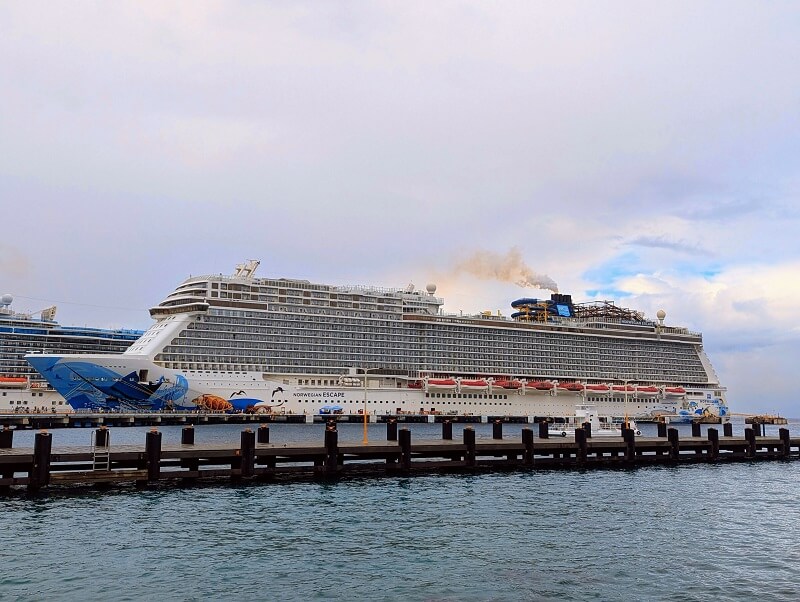
Norwegian Cruise Line Wi-Fi
Norwegian Cruise Line uses Starlink-powered internet across most of its fleet, delivering faster and more reliable connectivity compared with traditional satellite systems.
Norwegian Cruise Line Wi-Fi Packages
- Unlimited Wi-Fi: Ideal for browsing, email, social media and messaging apps.
- Streaming Wi-Fi: Includes streaming services, video calls and VPN access.
Norwegian Cruise Line Wi-Fi Pricing
- Unlimited Wi-Fi: Approximately $30 per device, per day
- Streaming Wi-Fi: Approximately $40 per device, per day
Wi-Fi is also often included as part of Norwegian's "Free at Sea" promotions, depending on the fare selected. Pricing may vary by ship and itinerary. In most cases, each person on the promotion will receive their own block of included minutes.
Can You Switch Between Devices?
Yes — with most Norwegian Cruise Line Wi-Fi packages, you can disconnect on one device and log in on another. Passengers can sign out and then sign into a different device using the same login credentials (e.g., phone to tablet) as needed.
Multi-Device Options
Norwegian's standard unlimited Wi-Fi passes typically cover one device at a time, but you can add additional devices for an extra daily fee — extra device add-ons after purchasing the main plan.
Staying in Touch Onboard
Norwegian does not currently offer a free dedicated ship-wide messaging app like most other cruise lines for messaging without internet, but you can still use internet-based messaging services such as WhatsApp, iMessage, Zoom and others on any plan that includes Wi-Fi access. However, on our most recent sailing, this proved to be very hit-or-miss.
Virgin Voyages Wi-Fi
Virgin Voyages takes a modern approach — the Basic Wi-Fi package is included for everyone for free. Just hop on and stay connected as much or as little as you want! The Basic plan includes reliable internet for general web browsing and email. There are two additional plans for purchase: the Premium and Work from Sea W-Fi, if you'd like to upgrade your free Basic package, depending on your needs.
Virgin Voyages Wi-Fi Packages

- Basic Wi-Fi: Reliable internet for web browsing, social media and email.
- Premium Wi-Fi: Includes access to video calls and streaming services.
- Work from Sea Wi-Fi: Includes faster speeds for accessing streaming, audio and video, VPN access and virtual meetings.
Virgin Voyages Wi-Fi Pricing
- Basic Wi-Fi: Free!
- Premium Wi-Fi: starts at about $30 per day, per device
- Work from Sea Wi-Fi: starts at about $50 per day, per device
Since the Basic Wi-Fi is included in every fare, you can post those amazing Instagram selfies, check your email and so much more without paying an additional dime. You'll be able to connect up to one active device to the network and use your favorite messaging app to keep in touch with your froggy crew throughout the cruise. You can group text or emoji-spam your travel crew at will.
If you need enhanced connectivity, there are two optional upgrades: the Premium and Work from Sea Wi-Fi packages. These are available at an additional charge. The upgraded packages can be purchased at any time while onboard, either on the Virgin Voyages Sailor app or at the Sailor Services Team on Deck 5.
More Tips for Connecting at Sea
Here are a few more tips you'll want to know before you go:
- Turn off data roaming before you sail to avoid unexpected charges.
- Put your phone in airplane mode and connect to the ship’s Wi-Fi to use messaging apps or browse.
- Download your cruise line’s app before boarding. Many allow free onboard messaging and access to daily schedules.
- Purchase a Wi-Fi package early (sometimes discounted pre-cruise) if you know you’ll need internet access.
- Download movies, shows and books before sailing. Streaming at sea can be spotty or cost extra.
- Consider a travel or international plan if you plan to use your phone for calls at sea or while in port.
- When in port, use free Wi-Fi at cafes, restaurants or other public areas as it's available.
- Ask the crew or visit guest services if you're having trouble connecting. They can typically help troubleshoot and get ya surfing in no time.
So, do cruise ships have Wi-Fi? Absolutely! But not all Wi-Fi is created equal. Whether you're working from sea, planning photo dumps or just checking in at home, there's a perfect plan (or free perk) waiting for you onboard. Just be sure to do a little research, so you know how the cruise Wi-Fi works on your ship. From there, your trip will be nothing but smooth sailing!
Ready to plan your perfect getaway? Leap over to our cruise planning page for more travel tips and tricks that make waves! Still have questions? Drop them in the comments below!
Related: How to Choose a Cruise Line — Which One is Right for You?
Related: The Top 5 Best Cruise Lines for Families
Keep hopping!