
Close Banner
GET MY TICKETS
Home / Blog / Theme Park Tips & Planning / The Full Picture on Disney PhotoPass Service: Pros, Cons & Tips!

The Full Picture on Disney PhotoPass Service: Pros, Cons & Tips!

by Li S. as Mommy Frog on October 11, 2025
360 Orlando

Experience all four Walt Disney World Theme Parks this summer with the 4-Day, 4-Park Magic Ticket! Valid for arrivals from May 26 to Sept. 26, 2026.


For a limited time, you'll get a FREE $10 Disney Gift Card with the purchase of each eligible Walt Disney World® Resort Theme Park ticket purchase. Hop on this deal now while supplies last!

Inside This Post

A visit to Walt Disney World is filled with a mountain of magical and memorable moments. For tadpoles, that can mean watching a favorite character come to life before their eyes, and for grown-up frogs, it's seeing that magical experience up close! Photos let us remember that perfect hug with Mickey or a princess twirl forever. Luckily for us, Walt Disney World offers a complimentary photo service called PhotoPass. PhotoPass photographers are stationed around the resort to grab those group shots — and some of them are sprinkled with a bit of extra pixie dust! PhotoPass also covers ride photos, character experiences and more. We've got all of the details about using PhotoPass, including which photo packages are available and which spots you don't want to miss. Say "cheese!"

Disney PhotoPass – Posing with Mickey at Hollywood Studios

Overview of PhotoPass at Walt Disney World

Disney PhotoPass is the name of the photography service offered at Walt Disney World. This covers your ride photos, character meet-and-greets, as well as some optional stops around property with photographers. You'll find PhotoPass photographers stationed throughout the resort with unique backdrops such as the Tree of Life, Cinderella Castle, Millennium Falcon and more. Photographers may also be available at specific character experiences, including select character dining or meet and greets. There are often special photo ops for celebrations or events that are available only for a limited time, such as Mickey's Not-So-Scary Halloween Party and Mickey's Very Merry Christmas Party. Photographers can even sprinkle a bit of extra pixie dust with digitally enhanced Magic Shots.

PhotoPass Stops - Cinderella Castle

While having your photo taken with the Disney PhotoPass service is free, downloading or keeping photos costs extra. Walt Disney World offers a few photo packages, including Memory Maker, that can be added on to your vacation so that you don't miss a single moment!

Accessing Your PhotoPass Photos

Using Disney PhotoPass service is toadally free, so you can take all the photos you would like and then decide if you would like to purchase any later. If you spot a PhotoPass photographer and would like a pic, hop in line. The PhotoPass photographer will ask for your MagicBand and quickly scan it (this is one of Lily's favorite jobs). After you ride an eligible attraction, you may see stations after the ride to tap your MagicBand beneath your ride photo (such as Tiana's Bayou Adventure or Test Track); others will automagically appear in your My Disney Experience account, such as Expedition Everest and Seven Dwarfs Mine Train.

The Full Picture on Disney PhotoPass Service: Pros, Cons & Tips!

You can also use MagicMobile to link your photos to your account. The Disney MagicMobile service works like a MagicBand: you show your phone to the PhotoPass photographers for scanning. You can also get attraction photos automatically linked with just the magic of your phone! Just ensure Bluetooth is enabled on the My Disney Experience app, and the images should appear. You can still use your MagicBand or alternate between the two methods.

If you don't have a MagicBand, Key to the World card or MagicMobile, no worries! The PhotoPass photographer will hand you a card, so put it away for safekeeping. With a PhotoPass card, you'll need to follow the instructions on the back to manually link your photos to your My Disney Experience account.

Finding Your Photos in My Disney Experience

To find your photos in the My Disney Experience app, head to the bottom right menu with the three bars and scroll down until you see Photo Gallery. Tap that and see your photos! In the top right-hand corner, you'll see an option to Link Photos. This is where you can enter information from a PhotoPass card to populate your photos, either by scanning the card with the camera or by entering the code.

If you don't have a MagicBand, you'll also find the link to show your PhotoPass code here. We highly recommend snapping a screenshot of this—it makes it so much easier to show photographers without worrying about load time or battery life! Here, you can also manually link your Memory Maker if you purchased it without being logged into My Disney Experience.

The Full Picture on Disney PhotoPass Service: Pros, Cons & Tips!

Once linked, some photos may appear within only a few minutes, while others may take up to 48 hours to appear in your account. If you still can't find your photos, you can report a missing photo by calling (407) 560-4300 or stopping by any Disney PhotoPass Studio in the parks. Cast members will try to help you track it down!

In the My Disney Experience app, you can then view all of your photos and even filter by location. Plus, you can see all of the Friends and Family you are linked to, making it easy to see everyone's photos when traveling in a large group.

Purchasing Photo Packages

All the photos you take will be uploaded to My Disney Experience. Note that your photos will be watermarked until you purchase individual photos or a photo package, such as Memory Maker. You can opt to buy individual photos à la carte. To give you an idea of the price, photo downloads are generally about $18.95 for a set of two 4 x 6 prints or one 5 x 7 print, or $20.95 for one 8 x 10 print. If you want just a digital download of one photo, it costs $16.95. There are also personalized products available for purchase, such as magnets, ornaments and mugs. Do keep in mind that prices do not include tax or shipping and are always subject to change. If you think you'll only want a couple of photos, à la carte may be the way to go.

The Full Picture on Disney PhotoPass Service: Pros, Cons & Tips!

If you're an Annual Passholder, PhotoPass photo downloads can be added to your pass for $109 (plus tax, per year). Photos expire after one year with an annual pass add-on. If you're not an AP, photo packages are an additional cost. We highly recommend the annual pass add-on or purchasing Memory Maker, which allows unlimited downloads (we'll go more in-depth below).

Disney World also has a private photoshoot option called Capture Your Moment. For 20 minutes, a PhotoPass photographer will discuss available locations and discuss what you'd like before, well, capturing the magic! Each session is $99. Downloads of your photos are included in Memory Maker; for those without an Annual Pass or Memory Maker, images can be purchased à la carte. To book a Capture Your Moment session, call 407-939-7758 or book online.

Walt Disney World Ride Photos - Tron Ride Photo

Attraction photo downloads are also included with the purchase of Lightning Lane Multi Pass! If you purchase Lightning Lane Multi Pass, you'll be able to download any ride photos from that day at no additional cost. This includes popular attractions such as Seven Dwarfs Mine Train, Space Mountain, Test Track and more! Check out our guide to Disney World ride photos for more details.

All About Memory Maker
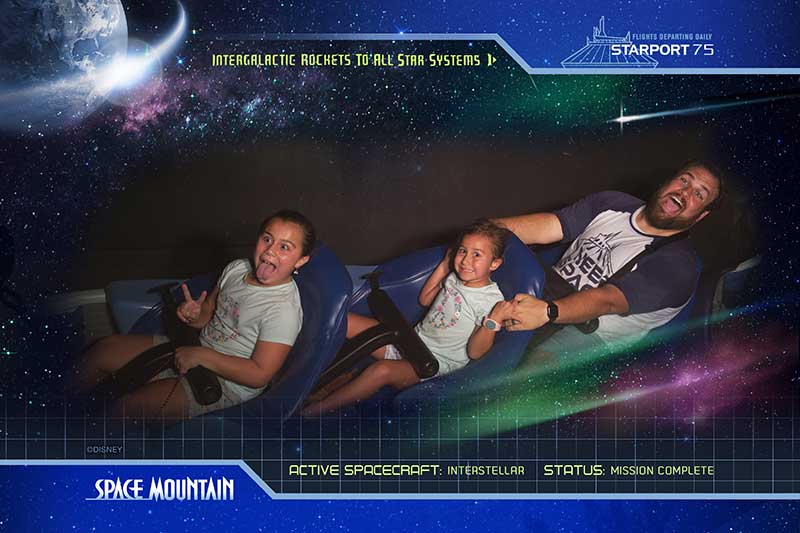
Disney PhotoPass – Ride photo on Space Mountain

Photos can be purchased individually, but Walt Disney World also offers an unlimited photo package called Memory Maker. Memory Maker includes all images taken on a single day or throughout your visit. Also included in Memory Maker are ride photos and videos, as well as stock photos and videos. We've even gotten a voicemail from Buzz and Woody! Some of these enhancements are only available through Memory Maker — they can't be purchased separately. If you expect to buy more than a couple of photos or have a long trip ahead, there's value in getting Memory Maker, especially if you purchase it in advance of your trip.

Memory Maker is a photo package that includes all photos from your trip, whether it's a single day or 10 days. You can purchase Memory Maker in the My Disney Experience app or on the Disney World website. If you buy the package in advance, you can save some green! Memory Maker options include:

  • Memory Maker Advance Purchase ($185) — includes all of your photos and videos from your vacation. You must wait at least three days after purchase to activate. Once activated, it lasts for 30 days.
  • Memory Maker ($210) — includes all of your photos and videos from your vacation. May be used upon purchase. Once activated, it lasts for 30 days.

Downloading Your Photos

One added benefit of Memory Maker is that you can download your own Disney PhotoPass photos, as well as those for up to 25 members of your Family & Friends who share media with you on the My Disney Experience website or app! For large groups or even families who may split up, that means any of you who are connected can use your MagicBand to upload the photos to one central location, for one price.

Your photos will expire 45 days from the date they're taken. Once they expire, they can no longer be purchased or downloaded. If you need more time (as long as you're not past your expiration date), you can pay an additional fee to extend your access to the photos for a further 15 days.

When you download your photos, you'll get fairly large ZIP files that include some stock photos and videos, as well. We've noticed the files can sometimes be a little out of order, so if you want a perfect timeline of your trip, you may need to manually organize them yourself once they are on your device.

Memory Maker Pros and Cons

The Full Picture on Disney PhotoPass Service: Pros, Cons & Tips!

In this digital age, you may be wondering why you should waste your time on a photo service. Here are our honest thoughts on Memory Maker:

Memory Maker Cons:

  • Your photos expire, so you have to remember to download them before they disappear.
  • The cost. While you can save some money by buying in advance, it's still an added expense (and that's a lot of Dole Whips). The longer your trip, the more reasonable that cost may seem.
  • If you're an avid photo-taker anyway, you may find your phone or camera is enough for you.
  • While PhotoPass photographers will always be at the main park icons, they may rotate to other spots throughout the park and are not guaranteed to be at any one location all day.

Memory Maker Pros:

  • Everyone can get in the photo! No more mom or dad missing as they snap the rest of the family or asking a stranger to help.
  • You can get unique photos like action shots on attractions.
  • Everyone on your Friends and Family list can get in on the photo fun for one price.
  • You don't have to dig for your camera or remember to take photos — if you see a photographer, you can stop. Voila! For me, this takes one extra worry off my plate during a vacation.
  • It's quick and easy to get your photo taken — the shot is already set and ready for smiles.
  • While I know my way around a camera (and Tad really, really knows his way around a camera), PhotoPass photographers are true pros. They take better photos than I could most of the time.
  • Most trip photos are then accessible in one central location.

Is Memory Maker Worth It?
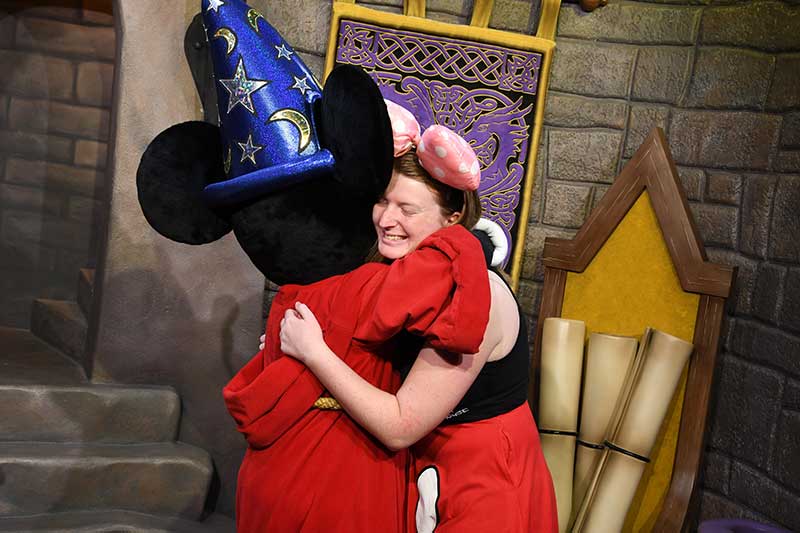
PhotoPass Pros and Cons - Photo from Mickey meet-and-greet

We get this question a lot, and our answer is always: That depends! You know your family and the number of photos you'd like best. If it's your first time at Walt Disney World and you'll be there a while, Memory Maker may be a good investment to ensure that you get all of those magical shots. If you're a seasoned visitor who will be there for a short period of time, you may find that purchasing must-have photos à la carte (or just getting attraction photos via MultiPass) and using your phone the remainder of the time is all you need. We personally highly recommend Memory Maker and think it's worth going all-in on capturing these magical memories, but this, of course, varies by family.

No matter what you decide, we are big fans of the Disney PhotoPass service. From capturing the wonder of seeing Mickey Mouse in person for the first time, to adding pixie dust to otherwise traditional shots, it always leaves a little extra magic in our photo memories.

Special Photo Spots

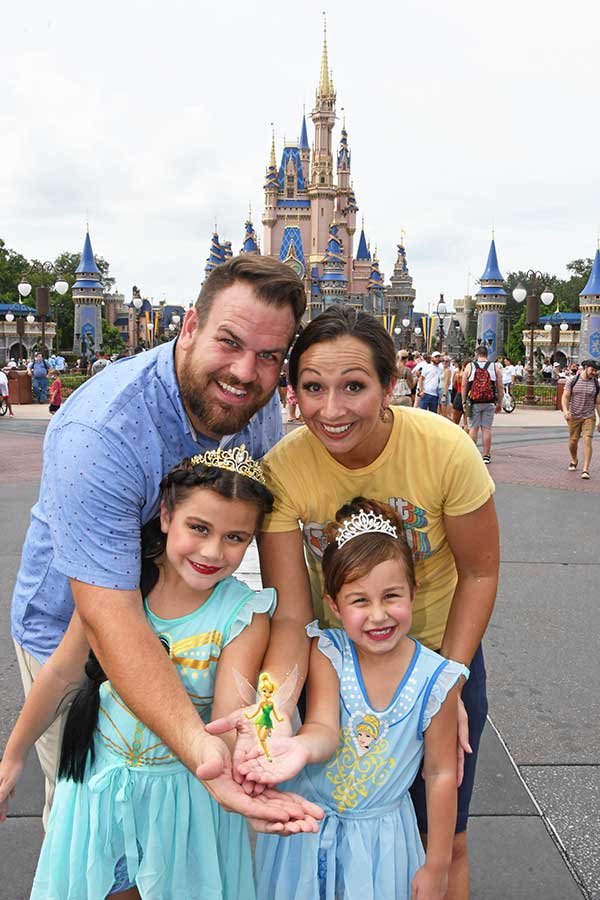
Recently, we saw a line for a PhotoPass photographer on an average wall in Batuu, and we thought, "That's strange." Guess what? While the wall looked basic, the PhotoPass photographer had a Magic Shot — a special effect that shows up in your photos — featuring Baby Yoda, er, I mean Grogu.

Exclusive to PhotoPass, Magic Shots are photos with a bit of extra pixie dust. Others we've seen include Tinker Bell appearing in your hands or Remy scurrying away. There are even some shots that involve perspective, such as Tiny World and Super Zoom (taking you standing next to Cinderella Castle, to a view high above Main Street, back to pinpointing you among the other guests!). You'll often find memorable photo-ops during festivals or special events, with props, Magic Shots and backdrops. You'll have plenty of opportunities to take iconic photos!
The Full Picture on Disney PhotoPass Service: Pros, Cons & Tips!

If you're looking for some additional selfie spots, there are also some Instagram-worthy walls around property, including:

Magic Kingdom

  • The Purple Wall (near Monster's Inc. Laugh Floor in Tomorrowland)
  • Neverland Wall (Fantasyland, outside of Peter Pan's Flight)
  • The Tangled Wall (the restroom area in Fantasyland — and you'll sometimes find a PhotoPass photographer with a lantern prop as night falls!)

PhotoPass Stops - Tangled Lantern

Disney's Animal Kingdom

  • Fichwa Fellow (outside of Harambe Market in Africa)
  • "You Are Most Beautiful" (in Harambe Market in Africa)
  • Moss Wall (Pandora, near Satu'li Canteen)
  • The Coca-Cola Wall (near Drinkwallah, in Asia)
  • Children of the World wall (across from Harambe Market, Africa)

EPCOT

Disney's Hollywood Studios

At any time, you can log into My Disney Experience and see where PhotoPass stops are near you! Hop into the map function and toggle to PhotoPass. And be sure to check out our top 10 favorite PhotoPass stops you won't want to miss!

PhotoPass Tips and Tricks

Here are some additional tips and tricks for using Disney PhotoPass:

  • If you're interested in Memory Maker, be sure to purchase in advance to save some green! Likewise, be sure anyone hopping along for the trip is on your Family & Friends list in My Disney Experience so that you can share photos.
  • If you have Memory Maker —my kids hate me for this —I suggest you stop at (almost) every PhotoPass stop. Since all photos are included in your Memory Maker, it never hurts to grab extra shots! While most of the pictures we've taken have been of good quality, you won't always get the perfect shot. Take advantage of the options available to you so you have plenty to choose from.
  • There are often several photo stops for the same area; there are usually about four or five for Cinderella Castle! If there's a long line at one, and you aren't particular about the shot, keep walking. On Main Street, U.S.A., especially, folks tend to stop at the first photographer they see, so that first line is often the longest.
  • PhotoPass photographers are great about different configurations in the shot, but if you have a particular setup or shot in mind, it never hurts to ask. When Tad got a button for making Honor Roll, for example, the rest of us got kicked out of the shot to shine the spotlight on him — and we asked if Lily could join him for one afterward.
  • On that note, if you are celebrating something, iconic photos are a great way to commemorate the trip!
  • Ask about Magic Shots. If that particular photographer doesn't have one available, they can point you to someone who does!
  • PhotoPass stops, MagicShots and special effects are always changing. Stop and ask if you have questions — cast members are hoppy to help!
  • Set a calendar appointment or reminder to snag your photos before they expire if you invested in Memory Maker!
  • If you have a dining reservation close to or after park closing, keep an eye out! PhotoPass photographers are often around even as the park closes, snapping those beautifully-lit nighttime shots.

The Full Picture on Disney PhotoPass Service: Pros, Cons & Tips!

Have you used Disney PhotoPass or Memory Maker before? What were your thoughts? Did we miss any tips or tricks? Be sure to share with us in the comments below!

Related: Our Favorite Holiday Photo Spots at Disney World

Everything You Need to Know About Walt Disney World Ride Photos

Hoppy planning!

Written and reviewed by the Undercover Tourist Content Team
View Comments

Comments

101–150 of 159 comments
Feb 21, 2018 at 7:31 p.m.
Amy Says...

This section "However, if you purchase Memory Maker at the discounted price, photos taken within 72 hours of the purchase time will not be included and would have to be purchased separately" is very poorly worded. It's confusing as it implies that buying MM at the lower price means the first three days of your park trips aren't covered. Based on the comments on this section, I'm not the only one who thought so! Reword for clarity!

Reply
Mar 3, 2018 at 7:59 p.m.
Natalia Says...

Yeah same here I’m confused as well. So if I purchase the MM lets say today and my trip is in a month (second week of April) I will still not get pics for the first three days? What sense does that make? Why purchase at a discount then if you can’t use it for the first three days?? I’m so confused lol

Reply
Mar 5, 2018 at 9:19 a.m.
FrogBlog Says...

Hi Natalia!

We apologize for the confusion! You only miss the first three days of your trip if your purchase at the discounted rate at the last minute.

Keep hopping!

Leap

Reply
Feb 19, 2018 at 4:03 a.m.
Kate Says...

In case you want to update: The Memory Maker now costs $199 and $169 in advance :(

Reply
Feb 20, 2018 at 11:51 a.m.
FrogBlog Says...

Hi Kate,

Thanks for the heads up!

Keep hopping!

Leap

Reply
Feb 13, 2018 at 5:58 p.m.
Becky Says...

Is memory maker only good in the 4 main parks? Can we use it at Volcano Bay or would we have to buy the Universal photo pass?

Reply
Feb 14, 2018 at 10:45 a.m.
FrogBlog Says...

Hi Becky!

Volcano Bay is a Universal park, so Disney Memory Maker & PhotoPass services are not available here.

Keep hopping!

Leap

Reply
Dec 27, 2017 at 4:31 a.m.
Nichole Says...

I see Photo Pass and Memory Maker are used as if they are the same yet different items. Do I have to purchase photo pass before I can do memory maker?

Reply
Dec 27, 2017 at 1:27 p.m.
FrogBlog Says...

Hi Nichole,

PhotoPass is the name of Disney's service that offers photographers at iconic locations throughout the parks to take professional pictures and "magic shots" of your whole family. You can take advantage of this service and have photos (with watermarks) uploaded to your MyDisneyExperience account at no cost to be purchased individually...or have them take pictures on your own personal phone or camera! Memory Maker is the package you can purchase that includes unlimited downloads of every photo and eliminates the watermark in your MyDisneyExperience app. That way, you can post your pics to Frogbook just moments after getting them taken!

Keep hopping!

Leap

Reply
Dec 7, 2017 at 6:45 p.m.
Nichelle I. Says...

We will be going with my daughter & the grandkids on March 31. We plan on getting the Memory Maker at the Military price.

Does this statement include the military price as a discount and if so am I to understand the first 3 days in the park our photos are not included.? "All photos for up to a 30-day period from first use are included. However, if you purchase Memory Maker at the discounted price, photos taken within 72 hours of the purchase time will not be included and would have to be purchased separately."

Reply
Dec 12, 2017 at 1:51 p.m.
FrogBlog Says...

Hi there,

According to this site, the Military price is not included with that statement. You should be able to use the Memory Maker right away if purchased within 3 days prior to your vacation.

Keep hopping!

Leap

Reply
Sep 8, 2017 at 12:41 a.m.
Craig Says...

Hi,

We bought the memory maker at one of the parks for $199. I activated the card when we got home. I have not downloaded any of the photos yet. It says if I do the watermarks will be removed and I will be confirming my memory maker account. If I choose not to download anything will the $199 pending charge on our credit card be removed?

Reply
Sep 7, 2017 at 7:50 p.m.
FrogBlog Says...

Hi Craig,

Hmm. We're not sure how Disney determines a when a pending credit card charge is removed. Call the Disney PhotoPass Guest Support team at (407) 560-4300 and ask the pros!

Keep hopping!

Leap

Reply
Sep 3, 2017 at 12:08 p.m.
Nadia Says...

I'm traveling for New Year's Eve with my daughter and my son.

We already have our tickets and our magic bands linked to our tickets and to my Disney experience app.

I want to know if I don't buy the memory maker, I can still ask a photographer to take out pictures and then choose which ones I want to download?

Or I have to buy the memory maker to be able to get the photographs on my Disney experience account?

Reply
Sep 5, 2017 at 10:46 a.m.
FrogBlog Says...

Hi Nadia,

You do not need Memory Maker. Your individual PhotoPass photos will be available to view and download in the MDE app.

Keep hopping!

Leap

Reply
Aug 28, 2017 at 11:59 p.m.
Britt Cole Says...

We are traveling as a family, 3 separate couples with kids. Is it best to have just 1 or 2 of the adults per family to wear bands, or do we need to purchase for all the children as well?

thank you!

Reply
Aug 29, 2017 at 11:03 a.m.
FrogBlog Says...

Hi Brittany,

It's best to have everyone wear a band. Linking admission tickets and Fastpass+ to individual bands will save time wherever you go.

Keep hopping!

Leap

Reply
Jul 25, 2017 at 6:33 p.m.
Andrea Says...

One thing to mention - UK visitors currently have Memory Maker included free with all Disney Ultimate tickets - this is the case until the end of 2018 though I suspect it may carry on after then. Our direct flights are about 9 hours long though (indirect flights are longer of course) and that's without transport to the airport and often an overnight stay before the flight out to Orlando - so time consuming and expensive before we add on the cost of accommodation. I guess this is a sweetner for us :-)

Reply
Jun 25, 2017 at 10:16 p.m.
Felicia Says...

Hello, My Family of 4 will be going to Disney Dec 23-25. Do you think it's worth it at that time since its going to be so busy those days. This will be our 1st time at Disney. And if I do purchase it, will it be good for those 3 days? And No telling How many rides we will be able to get on. Any advice and tips will help.

2 Adults and 2 Kids ages 5-Girl and My son is 10.

Thank You

Reply
Jul 18, 2017 at 11:48 p.m.
Deonie Says...

Hi Felicia, We are heading over to WDW again in September our first trip was 5 years ago ( from Australia) the kids were then 15 & 7, we also had my MIL & SIL with us. I would definitely reccomend the photo package, there is heaps of opportunity for photos the photographers are everywhere and are very quick (but dont rush you) they take snaps every day so they just know what they are doing. We got a massive amount of images the ones with the "magic" are super special, and there is not a bad picture among them! I'm just about to add it to our package today to get the discount, we were lucky in that we found a photographer outside a pavillion the one with the images of the park ideas who wasnt busy and he took our daughter for a solid 30 minutes and got her to pose. We have about 10very special images from that sitting . That was worth it alone for us although it wasnt the current package still good value.

Reply
Jul 14, 2017 at 7:49 a.m.
Nikki Says...

Felicia,

Sorry, I hit the "Submit" button too early. As I was saying...

I thought the PhotoPass was a waste of money but my cousin wanted to do it and paid for it. She gave me her access and I reaped the benefits. I was glad she did! Upon returning home from my vacation, I went online and edited my photos. I really enjoyed the Magic photos where they pretend your flying away with Mickey balloons or holding Tinkerbell or baby Simba. The add-on stickers were cool too. They had many of the characters' signatures as stickers so you could place Belle's signature with your picture of Belle and family and borders to match certain characters (as seen in the post). They also had holiday themed borders for Christmas and the New year. Mickey and Minnie were wearing holiday attire and Pluto strung ornaments on his tail.

Again, my opinions are based upon my visit back in 2013 but I am currently planning another Disney World vacation for November 2017 and looking into the PhotoPass/Memory Maker options too.

Do you think it is worth the money for your family's first visit? How many photos could you have taken over 3 days? Can you go into the Disney Photoshop store to edit your favorites and purchase a few photos? Lastly, consider the time you'll spend waiting in ride and photo op lines, watching shows versus truly enjoying the park and your family. You may not have/want to buy a lot of pictures to surpass the $169 fee.

Hopefully this information has helped you.

Sincerely, Nikki

Reply
Jul 14, 2017 at 7:25 a.m.
Nikki Says...

Hi Felicia,

I went to Disney the first week of December in 2013. Although it was not too crowded but enough crowds at times because Disney was filming their Christmas Parade to be aired on Christmas (therefore everyone wanted to be on TV). At the most popular PhotoPass spots (ie. Cinderella's Castle), there were unofficial waiting lines to get that good picture. I could imagine going during Christmas vacation, you'll not only have lines for rides and character greetings, but also for PhotoPass oppurtunities.

Also, consider the quality of your photos versus the Disney photographers photos. Either way, you're going to have a sea of people at Cinderella's Castle in your picture. Do you want a free photo with your camera or pay for the professional photo?

Is it worth paying $149 or $169 to have a few photos or just pay by the picture?

Personally, It was my boyfriend's first time at Disney and I honestly thought the PhotoPass/Memory Maker was a waste of money. I really enjoyed the Magic photos and add-on stickers to

Reply
Jun 26, 2017 at 7:33 a.m.
FrogBlog Says...

Hi Felicia,

As for PhotoPass/Memory Maker, it is good for the length of your visit.

It will be VERY busy during Christmas Break. We have tips to help you manage the crowds right here.

Keep hopping,

Leap

Reply
Jun 12, 2017 at 1:38 p.m.
Kristian Says...

Hi. Do you still need to pay for the photos you want or is that included. Thanks

Reply
Jun 12, 2017 at 9:39 a.m.
FrogBlog Says...

Hi Kristian,

If you purchase MemoryMaker, then all of your photos are included.

Keep Hopping!

Leap

Reply
Aug 21, 2017 at 12:22 a.m.
nicole henry Says...

Do you happen to know if you can purchase 2-1 day memory makers? I know we want 1 day but if I liked shots from a second day, would it be full price of 200 or could I buy 2 days? Thanks in advance

Reply
Aug 21, 2017 at 10:18 a.m.
FrogBlog Says...

Hi Nicole,

Memory Maker is good for multiple days. All photos for up to a 30-day period from first use are included. However, if you purchase Memory Maker at the discounted price, photos taken within 72 hours of the purchase time will not be included and would have to be purchased separately.

Keep hopping!

Leap

Reply
Nov 2, 2017 at 8:08 a.m.
Rosemary Says...

Hi Leap,

Thank you for all of this really helpful info! I read this is your article and in your reply but I'm still confused by what you mean! People who purchase the Memory Maker in advance are at a disadvantage? Thank you!

Reply
Nov 2, 2017 at 8:49 a.m.
FrogBlog Says...

Hi Rosemary,

While paying in advance for Memory Maker saves you $30, you don't know how the photos will look and how much you'll use it. If you make every opportunity to visit a Disney PhotoPass photographer, and don't mind that every photo may not be picture perfect, then Memory Maker is a great purchase.

Keep hopping!

Leap

Reply
Jun 7, 2017 at 12:54 p.m.
De Says...

Hi,

Thanks for the great info. A friend who goes to Disney a couple of times a year told me that the memory maker is not worth it because you wind up waiting forever on lines just to get your picture taken and you are much better off not spending the money and just asking a person passing by to take a family pic. Have you found that to be the case at all? I am going to Disney from July 11th-18th.

Reply
Jun 16, 2017 at 5:49 a.m.
Jessica Phillips Says...

Can you purchase individual digital images that are taken by the Photo Pass Photographers online?

Reply
Jun 16, 2017 at 7:26 a.m.
FrogBlog Says...

Hi Jessica,

Yes, you may purchase individual pictures from https://mydisneyphotopass.disney.go.com/.

Keep Hopping!

Leap

Reply
Jun 7, 2017 at 8:22 a.m.
FrogBlog Says...

Hi De,

We find Disney Photo Pass Cast Members to be helpful. They are perfectly positioned in front of icons such as Cinderella Castle and most always accompany a character. Know that they will always take a picture with your camera if you ask them. Your wait times will vary.

You can always ask a stranger to snap a pic. Find someone with a DSLR camera, as they usually take their photos seriously, and that will help with your shots.

You don't need Magic Bands. Memory Maker can be applied to your regular paper ticket. Memory Maker is a convenience and not a necessity. It really depends on how much you value those iconic family photos.

Keep Hopping!

Leap

Reply
May 29, 2017 at 4:54 p.m.
Lindsey Says...

We have 11 (6 adults) in our group going to DW in three weeks. We do not have Magic Bands because we bought our tickets through Shades of Green resort. Can all 6 adults use my Memory Maker account if we are not always together?

Reply
May 29, 2017 at 12:57 p.m.
FrogBlog Says...

Hi Lindsey,

Yes. Make sure everyone is linked together in My Disney Experience.

Keep Hopping!

Leap

Reply
May 30, 2017 at 10:20 p.m.
Lindsey Says...

There are 3 couples (hubby and me, daughter,and son) and we have three separate My Disney Experience accounts. Is there any way to link them to my account for one Memory -maker account or will we need to buy three cards?

Reply
May 31, 2017 at 12:40 p.m.
FrogBlog Says...

Hi Linsday,

If you add everyone in MDE as Friends/Family then you should be able to share one MemoryMaker account.

Keep Hopping!

Leap

Reply
May 31, 2017 at 5:47 p.m.
Barbara Says...

Thank you for being so helpful!

Reply
May 31, 2017 at 3:08 p.m.
FrogBlog Says...

Thank you for reading our blog!

Keep Hopping!

Leap

Reply
Apr 7, 2017 at 8:25 p.m.
TODD Says...

I live about an hr away from Disney and my family and I are thinking of purchasing the photo pass. is this a yearly fee, or only for the trip you go on? if I go 4 times a year and want all my photos for the whole year, am I paying 1 time or each time, or is this a lifetime membership?

Reply
Apr 10, 2017 at 8:29 a.m.
FrogBlog Says...

Hi Todd,

The PhotoPass fee includes all photos for up to a 30-day period from first use. Afte those 30days, you'd need to get a new package.

Keep Hopping!

Leap

Reply
Mar 26, 2017 at 12:48 a.m.
Niki Says...

An annual passer is going with our group to Disney World in June. If we are in 2 different parks will our pics link to their memory maker? Thank you for your time

Reply
Mar 26, 2017 at 8:31 p.m.
FrogBlog Says...

Hi Niki,

The entitlement is tied to the Magic Bands of everyone in your “My Disney Experience” family and friends list. If everyone in your party is on the list, then Memory Maker will update with the photos.

Keep Hopping!

Leap

Reply
Feb 7, 2017 at 5 a.m.
Lindsey L. Says...

Do you know if you can link more than one magic band to your magic maker photo package? We're going with a large group and I'm wondering if we can all take advantage of getting our pictures taken if we split up throughout the day.

Reply
Feb 11, 2017 at 3:51 p.m.
Mel Says...

This is from the post above in the "pro" part of the article......

"The entitlement is tied to the Magic Bands of everyone in your “My Disney Experience” family and friends list. This works well if your party separates because any one can have a picture taken and tied to the Memory Maker account with their MagicBand. For example, while my daughter and I were seeing Anna and Elsa, my wife took our two sons to ride Buzz Lightyear’s Space Ranger Spin. With the MagicBands, all of the photos from both places were in the account."

Reply
Feb 7, 2017 at 8:24 a.m.
FrogBlog Says...

Hi Lindsey,

It does not appear that you can link more than one MagicBand to your Magic Maker Photo Package. However, you can allow others to view your photos by adding them as Friends and Family in the Disney MyExperience app.

Keep Hopping!

Leap

Reply
Feb 1, 2017 at 1:48 a.m.
Gustavo Says...

Hi! Just purchased the memory maker in advance. I understood I'll have 30 days after my first photo, right? My trip in on May. Do you know the size of each photo? Nice definition for print later? Thanks!

Reply
Feb 1, 2017 at 8:31 a.m.
FrogBlog Says...

Hi Gustavo,

Correct, you have 30 days access to Memory Maker from the first day you use it. The individual files are about 4MB in size, and you shouldn't have any problems with printing them later on.

Hoppy Planning!

Mommy Frog

Reply
Dec 30, 2016 at 10:15 p.m.
Stacey Says...

Is there a way to upload your own photos into the memory maker to add borders and stickers? I haven't found one but I wanted to make sure I didn't miss anything.

Reply
Dec 31, 2016 at 12:13 p.m.
FrogBlog Says...

Hi Stacey,

Sorry. There's no way for you to add your own photos to Disney's Memory Maker.

Hoppy Planning!

Mommy Frog

Reply
Oct 15, 2016 at 11:11 p.m.
Jonnice Says...

Question: We're new Annual Pass holders and we qualify for the the photo pass. Does this basically mean we qualify for a free Memory Maker? Do i still need to purchase the memory maker for our vacation?

Reply
Dec 27, 2016 at 2:51 p.m.
Lisa R Says...

Check the Disney Annual Passholders site. It comes with a number of the passes. I am a Gold pass holder and it came with my pass. I only had the 2 blackout periods with my pass Christmas and Easter

Reply
Oct 1, 2016 at 5:17 p.m.
Lindsey Says...

We are staying at a hotel not on Disney property. I am interested in this because we have a 5 day trip planned and 8 people, so I think this would be a great deal. But, it says you have to have a wrist band linked to your My Disney Exp account. I thought the wrist bands were only for guests staying at a Disney Resort. Are we able to purchase a wristband for use just for the Memory Maker?

Thank You

Reply
Oct 3, 2016 at 10:39 a.m.
FrogBlog Says...

Hi Lindsey,

You do not have to have a wristband. Your ticket can be scanned just like the wristband to be used with PhotoPass photographers and ride photos.

Hoppy planning!

Mommy Frog

Reply
Oct 25, 2016 at 3:48 p.m.
Kathi Says...

I'm finding out the hard way that only those with Magic Bands will get the Mine Train and Frozen Ever After ride pics. No dice with the cards. We had a day at the parks as part of a DCL cruise and I am currently trying to get PhotoPass to add the Mine Train photo to the account. I have also learned that if we wore our magic bands from a previous trip, that the Mine Train photo would have linked. We didn't know that was an option....

Reply
Oct 10, 2016 at 2:42 a.m.
Kathleen Denison Says...

We are also staying off site and I just ordered our Magic Bands off Disney.com. I like the convenience of not having to carry my credit card, tickets, etc around for all of us. :)

Reply
Oct 12, 2016 at 4:25 a.m.
Skeeter Says...

Hey there! Make sure to bring your credit card! If you are staying off site the MagicBand will not be able to be linked with a credit card for fast payments! (We learned this the hard way!!)

Reply
Sep 18, 2016 at 4:58 p.m.
corrine Says...

does it cost any money to download the pictures from the disney account?

Reply
Aug 19, 2016 at 4:29 a.m.
Heather Says...

Just need some clarification, if we purchase the memory maker, are all the photos ours to download, save and print? Can we print individual photos or make an album using an outside source like Walgreens or Target?

Reply
Aug 22, 2016 at 9:01 a.m.
FrogBlog Says...

Hi Heather,

Yes, that is correct.

Hoppy planning!

Mommy Frog

Reply
Aug 23, 2016 at 6:46 p.m.
Claire Says...

If you purchase the memory maker, can you save all of the digital images on something like a flashdrive, so you always have a digital copy and can reprint them whenever?

Reply
Aug 24, 2016 at 12:56 p.m.
FrogBlog Says...

Hi Claire,

Yes, you can!

Hoppy planning!

Mommy Frog

Reply
Aug 2, 2016 at 4:39 a.m.
Chuy Varela Says...

One question: are PhotoPass photographers available at Disney Springs?

Thanks for your time.

Regards...

Reply
Aug 5, 2016 at 7:31 p.m.
Mom to 3 Says...

We were just at Disney Springs last week and they did have a photo pass photographer there at the little playground area where all the kids were. They might have had more, but it started raining hard and we headed back to the resort.

Reply
Aug 3, 2016 at 1:54 p.m.
FrogBlog Says...

Hi Chuy,

No, they are not.

Hoppy Planning!

Mommy Frog

Reply
Jul 30, 2016 at 12:21 a.m.
Tazz Says...

Planning on a Disney trip in 2 weeks. I plan on getting the park hopper and water park fun and more option multi day ticket. If I get memory maker will it be 1 fee for every park I visit for the entire ticket days purchased??

Reply
Aug 9, 2016 at 11:11 a.m.
FrogBlog Says...

Hi there,

Memory Maker is the photo package. It is sold independently of tickets.

Hoppy planning!

Mommy Frog

Reply
Jul 24, 2016 at 10:52 p.m.
alex Says...

Is the Attractions+ option still available at the parks?

We did this in 2014, instead of the larger package, because my kids aren't into the character meals...or posing for lots of photos! Our best, most memorable moments were on the rides!

Reply
Jul 25, 2016 at 8:29 a.m.
FrogBlog Says...

Hi Alex,

While this is no longer an option, you can purchase your photos individually.

Hoppy planning!

Mommy Frog

Reply
Jul 24, 2016 at 8:24 a.m.
Michelle Says...

Can I purchase memory maker if I buy my room and tickets off of undercover tourist site?

Reply
Jul 25, 2016 at 8:34 a.m.
FrogBlog Says...

Hi Michelle,

Yes, you can, you would just need to do this through Disney.

Hoppy planning!

Mommy Frog

Reply
Jul 19, 2016 at 5:40 p.m.
Mrs. Disney Says...

Quick question. My pictures on my app expire next week. Can I still purchase Memory Maker or Photo Pass? Which one do I need?

Reply
Jul 25, 2016 at 2:07 a.m.
Njaba Anne Says...

Picture on my trip to animal kingdom, Hollywood resort, and magic kingdom

Reply
Jul 21, 2016 at 7:33 a.m.
FrogBlog Says...

Hi Mrs. Disney,

Yes, you can still purchase Memory Maker, or you could purchase the pictures you want separately off of the site.

Hoppy planning!

Mommy Frog

Reply
Jun 27, 2016 at 11:53 p.m.
Sonny Says...

The Photo Pass website is almost completely unusable. I don't see how anyone can get it to function. I have tried to select and download about 20 photos for 5 hours now and still with no success. It won't load the photos, the buttons are unresponsive, or the website simply comes down altogether. When I call the help line, there is a 60-minute wait.

Reply
Sep 10, 2016 at 4:18 a.m.
Kelly Says...

I had the same issue at the same time period...I tried purchasing the disc and only one days' photos were on it. Were you able to get any or your pictures?

Reply
Jun 9, 2016 at 9:30 p.m.
Jennifer Tinsley Says...

How late do they take photos in front of the castle in the evening

Reply
Jul 5, 2016 at 11:15 a.m.
FrogBlog Says...

Hi Jennifer,

Pretty much throughout the evening, minus the nighttime entertainment times.

Hoppy planning!

Mommy Frog

Reply
May 31, 2016 at 1:23 p.m.
Danielle Says...

Hello, I'm confused about the part that says the discounted Memory Maker will expire after 72 hours and another will need to be purchased. Can you explain this please? I'm going for 6 days and don't want to have to buy 2! Thank you :)

Reply
Jun 2, 2016 at 3:19 p.m.
FrogBlog Says...

Hi Danielle,

You would just need to purchase it 72 hours before you arrive to take advantage of the discount.

Hoppy planning!

Mommy Frog

Reply
May 17, 2016 at 8:15 p.m.
Marc W Says...

Beware Memorymaker. Memorymaker is a deceptive, overpriced product, UNLESS you spend all your time waiting in long lines for character photos. Disney will tell you that photos are not taken on 100% of the rides. What they WON'T tell you is that photos are actually taken on less than 15% of the rides. Our tally of 257 photos at the end of a 7 day trip riding 75% of the rides in all the parks turned out to be 100 stock disney photos, plus 18 ride shots duplicated anywhere from 5 to 12 times (e.g. on coaster they shoot up to 12 shots in less than a second).

Reply
Mar 17, 2016 at 9:27 p.m.
Patrick Jakubowski Says...

So, is there only a 1 day Option in Disneyland. In the past there was the multiple days which was such a fantastic bargain...

Reply
Apr 14, 2016 at 10:16 p.m.
Susan Says...

I can't seem to find anything but a one day pass either.

Reply
Dec 22, 2015 at 3:17 a.m.
Bob G Says...

I meant memory maker not photo pass

Reply
Dec 22, 2015 at 3:15 a.m.
Bob G Says...

When the photo pass is purchased, do you get a cd with all of the photos that you can take to a store for prints?

Reply
Dec 19, 2015 at 4:40 p.m.
Dodie Says...

Hi! We are Florida residents and are considering (okay we are going to do it!) purchasing the Gold Annual Pass. One of the perks is "Disney PhotoPass Downloads". I can't find any definitive explanations about this, so maybe you can help. Does this mean that any photos taken during our visit will be available to download for free? Or is it just stating that we can download them, but that we will need to pay?

Thanks for your help!

Reply
Dec 14, 2015 at 5:10 p.m.
Kaye Oesterle Says...

I was contemplating on renewing my annual pass (which now includes photopass downloads) or letting it expire to renew before our trip to WDW in April. The rub is that we are going to Disneyland in January. So my question is - If I renew my WDW annual pass, will it include any Photopass photos made at Disneyland or are they completely separate?

Thanks

Kaye

Reply
Dec 16, 2015 at 7:36 a.m.
FrogBlog Says...

Hi Kaye,

I believe the photos would be separate.

Keep hopping!

Leap

Reply
Nov 8, 2015 at 6:06 a.m.
Carrie Madley Says...

Hi,

Have you ever had anyone reach out to you regarding expired Memory Maker photos? When we booked our trip out Disney consultant created the guest email account and we never got the reminder email that our photos were about to expire and we thought we had 30 days from the download to get them off the site. We are still within 60 days of our trip and I sent an email to Disney just now but I am so upset about this that I am reaching out to anyone that might be able to help. I read on one blog site that a couple was able to get their photos retrieved after the expiration but that was from about a year or so ago. I am praying so hard that with all the technology we have that we will have our prayers answered. This was my first visit as well as our son's first visit (he's 6). I am hoping you will be able to help. Thanks so much. :)

Reply
Nov 14, 2015 at 5:07 p.m.
Christina Says...

We just recently retrieved our photos last week from a visit in the end of July! You need to call and talk to someone from photo pass. They were also able to send us a cd with all of our photos to be sure we didn't lose them while editing. Our call was right before they would be deleted. I wouldn't wait for a response in email even though the wait on the phone can be long, it's worth it!

Good Luck:)

Reply
Nov 6, 2015 at 8:25 p.m.
Veronica Says...

I got the photopass plus online for our recent trip to Disneyland. If you are doing any character meals then this is a great value. With the photopass plus the prints of the photos they take of you when you first get to the meal are included at no charge (without photopass plus it would cost around $37US if you want the prints). We did 2 meals so the prints from those alone were worth the $60.00 I paid for the photopass plus. However their website after you get home is not great at all!! I have been trying for days to make a calendar with our photos for Christmas gifts and it keeps freezing and logging me out, very frustrating. I emailed customer service and all they said was download Google chrome, our site works best through there. I am not downloading something just to use your site, it should work with any browser. I guess I will order my prints and calendar through Wal-Mart instead, will be cheaper anyway.

Reply
Oct 26, 2015 at 2:28 a.m.
John Says...

I was going to download my photos as 4x6 but I wanted to know if when I decide to print them on my own can I then make them a bigger size and still be high quality?

Reply
Nov 4, 2015 at 4:24 p.m.
Amma Says...

We were very disappointed in the quality of photos. Shots with characters were great but shots around the park, quite poor. Our Main Street shot was crooked and underexposed - unacceptable as the photographer does this same shot ALL DAY. Tree of life group shot overexposed.

Reply
Oct 28, 2015 at 1:09 a.m.
Vern Woodruff Says...

Hi John,

The photos you download will be high resolution (around 3 - 4 MB in size, 300 dpi), so you should not have any issue printing them at a larger size. The base photos are in a 4 x 6 aspect ratio through PhotoPass, so the quality of a picture cropped to a different aspect ratio will be the same whether you do it through the PhotoPass website or on your own after you download the file. If you are planning on downloading the pictures, the main advantage for cropping a picture to a different aspect ratio on the PhotoPass website is that the Disney themed borders will be fit correctly on the picture. For example, when I was editing my photos, I added Disney borders to many of the pictures. Pictures I especially liked and thought that I might print in a 5 x 7 or 8 x 10 aspect ratio, I would edit those on the PhotoPass website and add the border. If you are not adding a border, then you do not need to crop the picture to a different aspect ratio and should be fine downloading the pictures as 4 x 6's and printing them at a larger size.

Reply
Oct 15, 2015 at 10:37 p.m.
Kris Says...

On our last trip, 4 years ago, we bought the photo package and actually created an album on their website with some of our additional photos uploaded and included too. What was great about it was they had Disney backgrounds on all the pages and special Disney borders and clip art to include in your photo books. I was wondering if any one has made one with Memory Maker and if they are still including all the extra clip art and Disney pages in their albums.

Reply
Sep 15, 2015 at 10:02 p.m.
Sandra Says...

Hi, I would like to know if you have the memory maker and fast pass for Disneyland, California in LA?

Does the disney app also applies for this park?

Reply
Sep 22, 2015 at 10:19 a.m.
FrogBlog Says...

Hi Sandra,

You can read more about Disneyland's PhotoPass Service here. You can read more about FastPass here.

Hoppy planning!

Mommy Frog

Reply
Apr 28, 2016 at 4:52 p.m.
Trisha Says...

They don't have a price listed, and it is only 1 day? The link goes nowhere

Reply
May 12, 2016 at 10:36 a.m.
FrogBlog Says...

Hi Trisha,

We've updated with the new link. Pricing is currently $149 if you purchase three days in advance.

Hoppy planning!

Mommy Frog

Reply
Sep 10, 2015 at 2:25 a.m.
Jennifer H Says...

I am looking for confirmation. We will have 9 in our party - 7 adult tickets & 2 children tickets (really 4 adults & 5 between 9-14). Can I add all 9 to the Memory Maker if they are all in my friends list. I am managing all of our activities. I wasn't sure if there was a limit on the number for an account. Thank you!

Reply
Sep 27, 2015 at 4:01 p.m.
Jess Says...

Jennifer

You can link many people to your photo pass, just link their magic band or park ticket card to your My Disney Experience app. My kids even touched their magic bands on ride picture screens of complete strangers and those photos were added to my memory maker app. So if you don't want to link their accounts to yours just hand over your band or photo card to any photographers or touch to any ride screen to add those photos to your account.

Reply
Sep 21, 2015 at 11:06 p.m.
Natalie Says...

Yes you can if you link all the reservations in your app. I was with my sister and her family and all our photos showed on my app because I linked their reservation with my Disney app. This makes it nice because we will be splitting the cost of the memory maker price :)

Reply
Oct 6, 2015 at 1:47 a.m.
Tiffany Says...

I am having problems with this right now. My sister and I linked up and all of our pictures (including ones on days our families weren't together) showed up on her photopass account where she bought the memory maker except for a few pockets of photos. These photos are, however, showing up on my acct where I did not purchase the memory maker. The only thing I can think of is that one of my kids must have handed their magic band to the photographer and it is not linking with my sisters account. Thoughts? Any way to get those pics from my account to my sisters. It stinks that all of our other photos came through because we are linked except these. I am dreading having to purchase a memory maker just to keep the pictures of my son's favorite character Sorcerer Mickey (and my sisters kids are even in these photos too!).

Reply
Nov 3, 2015 at 2:08 p.m.
Daisy Says...

You need to get your sister to add your child to her mde. Do this by add a guest people I may know and the name of the child will be sent to your email and you accept. Should work then.

Reply
Oct 28, 2015 at 1:24 a.m.
Vern Woodruff Says...

Hi Tiffany,

Sorry I did not see your question earlier, however I unfortunately do not have an answer other than contacting the PhotoPass help through either e-mail or on the phone. If it is just a few pockets of photos, hopefully there are just a couple of interest and you could purchase them individually instead of having to purchase the entire package.

Reply
Sep 3, 2015 at 5:47 a.m.
Julia Says...

hi,

I just wanted to ask if the memory maker included universal studios, or if there was a similar package with them?

Thanks

Reply
Sep 8, 2015 at 8:13 a.m.
FrogBlog Says...

Hi Julia,

It does not include Universal, which has its own package.

Hoppy planning!

Mommy Frog

Reply
Aug 28, 2015 at 1:56 p.m.
Barbara Says...

Hi guys. Do you know what ride photography company operates at Disney? Thank you!

Reply
Aug 16, 2015 at 4:49 p.m.
Mari Says...

You have been very informative and I wish I had seen your posting before my daughter took her trip to Orlando last month. Do you know if you can buy the MemoryMAker after you return home instead of having to purchase each picture as a download. I am a little confused. Thanks

Reply
Aug 18, 2015 at 4:52 p.m.
Vern Woodruff Says...

Mari,

From what I have found on Disney's PhotoPass website, I think that you can purchase Memory Maker after returning from your trip as long as the photos associated to your daughter's My Disney Experience account have not expired. However, the FAQ on the website that addressed this question was not very clear and an answer on the Disney Mom's Panel said that you could not purchase all of the photos after returning. Also, Disney tends to change the details every so often, so the best option would be to go to the PhotoPass website, click on Help and either e-mail or call them directly.

Reply
Aug 2, 2015 at 10:19 p.m.
Monica Says...

Thanks for the comprehensive overview! A bit off topic, but do you know anything about the Gallery disc (300 photos) vs the Entertainment disc (600 photos)? I know they are stock photos, but they cost the same and I can't get much info as to the difference between the discs.

Reply
Aug 3, 2015 at 5:07 p.m.
Vern Woodruff Says...

Thanks Monica! Sorry, but I don't know much about the Gallery disc versus the Entertainment disc because I don't have either of these. From the descriptions, it sounds like they cover different aspects of Disney, so the pictures between the two may be completely different. I would recommend calling or e-mailing the PhotoPass Help with your question. I have had good success contacting them with questions before.

Reply
Aug 4, 2015 at 5:40 a.m.
Monica Says...

Thanks Vern! I'll email the Photopass people.

Reply
Jul 28, 2015 at 6:10 p.m.
Megan Says...

Hi, and thank you so much for this great post! Most of my questions have been cleared up, but as I've read A LOT of conflicting information on various sites I was hoping you could help me fully grasp just one or two things.

First - pictures from rides. This is where I've seen the most amount of conflicting information. Can you confirm (or deny) that a) pictures from everyone in my MyDisneyExperience Friends & Family list will show up whether I am on a particular ride or not and b) clarify whether or not someone needs to physically stop by the photo desk at the attraction to get the picture in our account? The ride pictures are the second-biggest plus to me of Memory Maker so I want to be sure I fully understand how this part of it works before I commit to the $169.

Secondly - making sure our whole group is linked up and pictures get taken even when we're split up. I think this may be a feature that they updated after the release of MM, because typically the posts I see from 2013 and early 2014 say the MM owner has to be there, but more recent posts say they do not. So again, can you clarify or confirm that, even when our party of 5 is split up, pictures taken of any of us will show up in my MM account? Is any special action required if I (the MM owner) am NOT present, or will having Magic Bands take care of it all?

In a perfect world, the answers would be that yes, our group can be split up and all we have to do is have our Magic Band scanned by the photographer and the pictures will show up in my account. Also, yes, ride pictures are automatically saved through the magic of Magic Bands and it doesn't matter if I ride the ride or not, and we don't even have to stop by the desk on our way out. :) I know we hardly live in a perfect world, though!

Thank you so much for your time and help.

Reply
Jul 30, 2015 at 9:56 p.m.
Vern Woodruff Says...

Hi Megan,

Thanks for your compliments. I'll try my best to answer your questions based on my last experience.

1a. In theory, everyone in your My Disney Experience Friends and Family listing should have any ride photos show up automatically in your account even if you are not with them. On my visit, my wife took my two sons to ride Buzz Lightyear's Space Ranger spin while I took my daughter to see a princess. The pictures showed up in our account even though I was not there.

1b. The photos are supposed to be automatically added to your account, without a need to stop by the photodesk or stopping by the picture previews and scanning your Magic Band at a touch point under the picture. I also valued the ride pictures, so I usually stopped by the photo desk or scanned my Magic Band at the touchpoint under the picture preview just to make sure the photo would be added to my account. Disney seemed to be in the process of automating this process when I was there, so they were still working out some bugs. After riding Expedition Everest, there was a person at the photo preview area telling people that the automatic process was not working and that you needed to stop by the photo desk if you wanted the picture. Some rides, like the Seven Dwarfs Mine Train, do not even have a place to scan your Magic Band and the ride photo / video is automatically added to your account. However, there are times the system is down (we had this occur on Space Mountain), or the photo is lost even if you stop by the photo desk for some reason (this happened to us on Test Track).

2. As long as everyone is linked together, the MM owner should not need to be there and any one in the group can have their Magic Band scanned. I usually had mine scanned, but there were times the kids wanted their bands scanned. Another time I was waiting in line for a visit with Belle, and my wife took the kids to explore the France pavilion where they had a few photos taken.

The pictures should show up within a few hours in your My Disney Experience account, so I would recommend that you check it out every so often and you can verify that the photos are being added correctly.

The earlier posts you've seen regarding the need for the MM owner to be present may be accurate, because Disney went through some growing pains with the Magic Band rollout, but they have added a lot of functionality since then. For example, the Seven Dwarfs Mine Train photo / video being automatically added to your account only started last fall.

Disney does change details or add features relatively frequently, so I would also recommend that you check through the recent answers on MM on the Disney Mom's Panel. You can also send an e-mail or call the Photopass / Memory Maker help. I have had good communications with them before.

Hopefully this is helpful. Have a great trip!

Reply
Aug 1, 2015 at 5:34 p.m.
Megan Says...

Thank you SO very much, Vern!!

Reply
Aug 5, 2015 at 4:38 p.m.
Vern Woodruff Says...

Megan,

Thinking about my answers, I want to make clear to everyone that my experiences and most of the answers depend on everyone having a Magic Band. For example, if you don't have a Magic Band, the ride ride photos will not automatically be associated to your account. To associate the photos to your account, after the ride you will need to find your photo on the preview wall and touch your park ticket (one with an RFID in it) or Memory Maker card to the touch point associated to your photo.

If you don't have the Magic Bands, then the person with the Memory Maker card would need to be present to have photos taken elsewhere directly associated to the account. However, if the person with the Memory Maker card is not present, you should receive a regular PhotoPass card that can be tied to the account later. Even with my family having Magic Bands, we needed to do this with photos taken during Enchanted Tales with Belle and Jedi Training Academy.

Keeping all the details about Memory Maker is difficult enough, without considering whether everyone has Magic Bands or not. Hope this has been helpful.

Reply
Jul 24, 2015 at 2:46 p.m.
Lauren Says...

I'd love to hear from someone who was in the parks recently if Attractions+ is still available. According to a CM I spoke with over the phone, it is no longer an option - however, I'm not convinced she knew it was an option to begin with.

Reply
Jul 24, 2015 at 1:54 p.m.
Marie Says...

Regarding the price, we had four families going on the trip and were all linked together on MDE, one of use purchased the Memory Maker package and then we split the price between the four families, we all used it, downloaded the pics and printed the ones we wanted. We all overlapped for a number of days but had days just our own families as well so it worked out great. We literally had about 400 pictures on the Memory Maker and for $42.25 each family it was fabulous!

Reply
Aug 18, 2015 at 4:59 p.m.
Vern Woodruff Says...

One item that I should mention if you are going with a group of families and decide to purchase Memory Maker to share, make sure that everyone goes into their My Disney Experience account and sets the photo sharing permissions using the Family and Friends page in their Profile so that the photos can be shared.

Reply
Jul 21, 2015 at 11:32 a.m.
Carole Says...

If you buy the "Disney Attractions+" inside a park:

- can you use it in all the 4 DWD Parks?

- is it valid only for Pictures in the attractions or also for the Videos that are avaible in some attractions?

Thank you for your answers!

Reply
Jul 21, 2015 at 9:41 p.m.
Vern Says...

Hi Carole,

With the Disney Attractions+ option, you have access to digital copies of all the attraction photos that are taken during your visit, up to 14 days. This includes attractions at all four of the parks.

As far as I can tell, the ride videos from Seven Dwarfs Mine Train and Twilight Zone Tower of Terror are not included and are only available for downloading to those that purchase the Memory Maker option. However, this could change or Disney could add additional attractions, so if this is something that is important to you, I would encourage you to visit Disney's Memory Maker website and e-mail them a question or call. Hope this helps.

Reply

Leave a comment

About Undercover Tourist

Undercover Tourist is the leading supplier of online discount tickets to Orlando, Florida-area attractions, including Walt Disney World® Resort, Universal Orlando Resort, SeaWorld® Orlando, LEGOLAND® Florida Resort and more.

Sign Up for Our Newsletter

Get the inside scoop on theme park news, planning tips, concert and sports announcements, special offers and much more!

Park Plans

Our step-by-step guides will save you up to 4 hours a day.